



What’s a good way to evaluate your financial health? Knowing your net worth. And thanks to a growing number of wealth tracker apps, that goal has never been easier.
If you open up your banking app and check out how much money you have in checking and savings, that’s part of your net worth—but it doesn’t tell the whole story. Your net worth is made up of numerous factors, across varying types of accounts. And manually keeping tabs on all of this to determine your net worth can be difficult and time-consuming.
The good news: You can make things easier on yourself with net worth trackers.
Today, we’ll help you start to better understand your net worth. We’ll start by showing you exactly what that is, and then we’ll explore what we believe are the best net worth trackers available today. After that, we’ll answer other common questions about your net worth.
What Is Net Worth?

Net worth is a straightforward calculation. You take all your assets, subtract all of your liabilities, and what’s left over is your net worth. Or, as a formula:
Assets – Liabilities = Net Worth
Examples of assets include cash in savings, checking, and other accounts; investments (say, stocks and bonds); and equity you have in your home.
Examples of liabilities include student loan balances, car loan balances, mortgages, and credit card debt.
So let’s say you don’t have much money in your checking account—you still might have a higher net worth than you think if you also hold a lot of high-value investments you could easily sell to raise cash. Conversely, maybe you have a lot of money in your checking account, but that number is low compared to all of your credit card debt. If that were the case, you might have a lower net worth than you think.
Your net worth might be positive, but it also might be negative. No matter what, though, it’s an important number to know—which is why you should regularly keep tabs on it.
Wealth Trackers—Our Top Picks
|
Our Top Wealth Tracking Pick

|
High-Net-Worth Portfolio Tracker

|
Multi-Asset-Class Investment Tracker

|
|
Primary Rating:
4.5
|
Primary Rating:
4.4
|
Primary Rating:
3.9
|
|
Free (no monthly fees for tools); Starts at 0.89% AUM for wealth management services
|
Starter: Free. Plus: $29/mo. Premium: $79/mo. Family Office: $699/mo. (All paid plans billed annually.)
|
Try plans for 14 days for $1. Then, Kubera Persona: $150/yr. Kubera Family: $225/yr.
|
Best Wealth Net Worth Tracker Apps
So, what are the best net worth tracker apps? Below, we list several of our favorites, and explain what makes theme stand out.
1. Empower
- Available: Sign up here
- Platforms: Web, mobile app (iOS, Android)
Empower is one of our top-rated financial platforms for people of any income level thanks to the quality and breadth of its dual offerings: a suite of free-to-use tools that even the most financially experienced people can put to use, and fee-based investment, wealth management, and private client services available to people with as little as $100,000 in investible assets.
Empower’s free financial planning tools
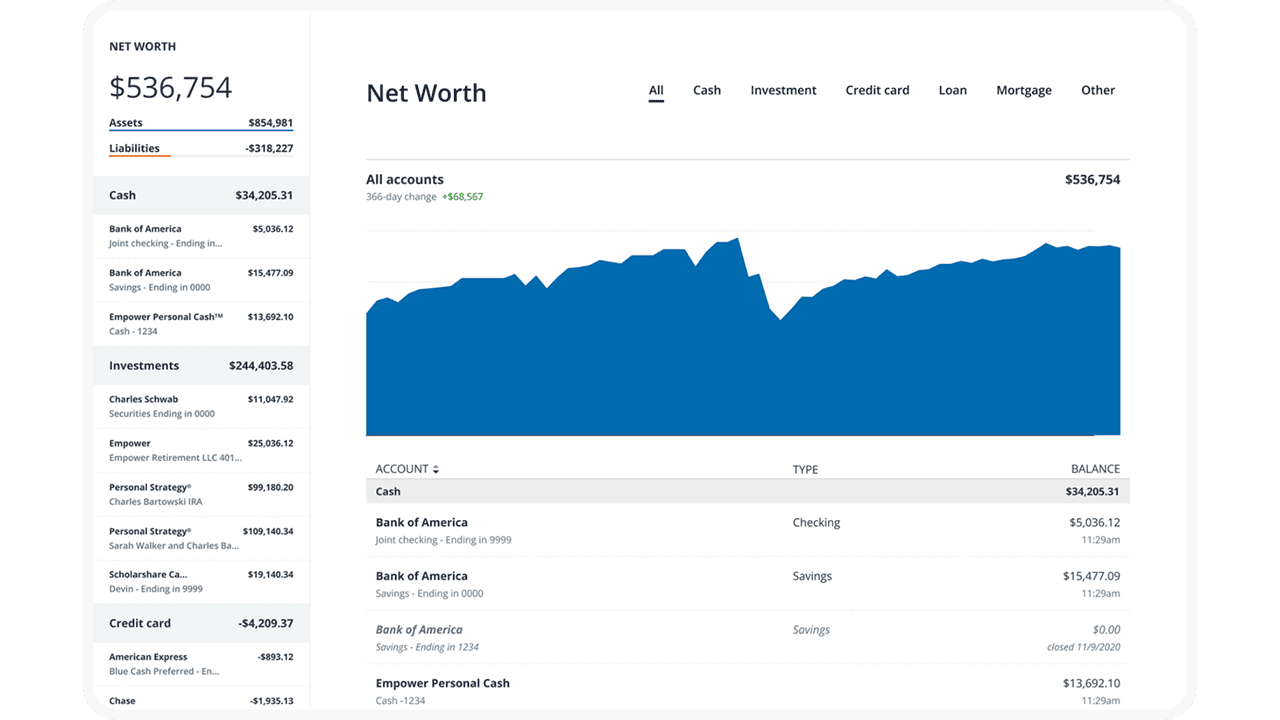
The free Personal Dashboard makes it easy for people to add all their financial accounts (including credit cards, savings, checking, loans, and tax-advantaged investment accounts) in one place.
Empower offers a number of investing and personal finance tools that you’d expect from a free service, such as the Savings Planner, Retirement Planner, and Financial Calculators—all intuitive and well-built.
But where I think Empower really shines is its free Investment Checkup tool. The tool assesses your portfolio risk, analyzes past performance, and even provides a target allocation for your portfolio. Many people don’t realize how much of their varying mutual funds and ETFs overlap with one another—but the tool can actually help you identify overweight and underweight sector investments (maybe you have too many assets in utilities and not enough in health care) and assess your true diversification.
You can even compare your portfolio to both the S&P 500 and Empower’s “Smart Weighting” Recommendation, which suggests that investors more equally weight their portfolios across size, style, and sector—unlike the S&P 500, where the biggest stocks have the most effect on the portfolio, and there are huge differences in how much each sector is weighted.
Another exceedingly useful tool is the Empower Fee Analyzer, which examines the fees you pay across all the various funds you hold, whether that’s advisory fees, sales charges, annual expenses, or other costs.
Empower’s wealth management services
Empower’s full-service Personal Strategy and Private Client accounts better suit investors who want a fuller advisory experience. Empower offers three tiers based on your investible assets:
- Personal Strategy Investment Services ($100,000-$250,000): This tier includes unlimited financial advice and retirement planning guidance from Empower’s advisory team. You’ll have a professionally managed portfolio of ETFs that can be reviewed upon request. And it also comes with Empower’s state-of-the-art digital tools.
- Personal Strategy Wealth Management ($250,000-$1 million): This tier provides you with two dedicated financial advisors providing advice and planning. You’ll have a fully customized portfolio of both stocks and ETFs, which allows for more flexibility and better tax optimization, and your portfolio will be reviewed regularly. You’ll also have access to specialists in real estate, stock options, and other areas.
- Private Client ($1 million or more): This tier also provides access to a pair of dedicated financial advisors, but it also gives you Priority access to Empower’s specialists and the investment committee. You’ll also receive in-depth specialist support for retirement and wealth planning, and you’ll also be able to invest in private equity should you wish.
Use our exclusive link to sign up with Empower, whether that’s for the free tools or the advisory services. No matter how much (or how little) money you bring to the table, you’ll be given the option to schedule a free initial 30-minute financial consultation with an Empower advisor.
- Empower offers both a free set of portfolio, net worth, and cash flow tracking tools, as well as paid asset management service.
- Link Empower to your bank and investing accounts, credit cards, and more to see a single view of useful information and data, including your net worth.
- Empower Advisory Group offers a comprehensive wealth management service known as Personal Strategy. This managed account solution provides clients with discretionary investment management, personalized portfolio construction, and access to financial planning support. Accounts investing $100k to $250k receive unlimited advice and retirement planning help from financial advisors, as well as a professionally managed ETF portfolio with reviews upon request. Higher asset tiers offer access to dedicated advisors, estate planning, and tax specialists, plus additional investment options like access to private equity.**
- Special offer: If you have $100k+ in investible assets, sign up with our link to schedule a free initial 30-minute financial consultation with an Empower professional.
- Free portfolio tracker (Dashboard)
- Free net worth, cash flow, and investment reporting tools (Dashboard)
- Tax-loss harvesting (Personal Strategy)
- Dividend reinvestment (Personal Strategy)
- Automatic rebalancing (Personal Strategy)
- Low investment expense ratios (Personal Strategy)
- High number of investment accounts supported (Personal Strategy)
- High $100k minimum for investment management (Personal Strategy)
- Moderately high investment management fee (0.89% AUM) compared to other online advisors (Personal Strategy)
Related: 8 Best Stock Portfolio Tracking Apps [Stock Portfolio Trackers]
2. Vyzer (Best Investment Tracking App for High-Net-Worth Individuals)

- Available: Sign up here
- Platforms: Desktop (Windows, macOS), mobile (Android, iOS) app
Vyzer represents the best Personal Capital alternative for high-net-worth individuals found on this list. It offers investment portfolio tracking, financial planning tools, and wealth management solutions for both public and private investments.
The digital wealth management platform also distinguishes itself by serving as the only service that combines public and private investment performance tracking. Vyzer keeps tabs on all of your investments in one place, providing a comprehensive view of your entire portfolio so you can easily monitor its performance. It supports all of the following accounts and asset classes:
- Real estate (syndications, funds, rental properties)
- Private equity funds (venture capital, hedge funds, debt funds)
- Private companies (startups and small-to-mid-sized enterprises)
- Restricted stock units
- Investment accounts (Brokerage accounts, pension plans, 401(k), IRA, Roth IRA)
- Bank accounts (18,000+ banks worldwide)
- Crypto (Binance, Coinbase, BTC + ETH addresses, and more)
- Precious metals
- Collectibles
You can even track investments you co-hold with others, and organize your investments under different holding entities.
Vyzer is designed for investors with diverse portfolios and multiple sources of income. It allows users to forward or upload any financial documents (think spreadsheets, investment documents, Schedule K-1s, quarterly statements, and more) and have the platform translate them into new assets or liabilities or update existing ones. After you link your bank accounts to the platform, Vyzer analyzes your transaction data with artificial intelligence to identify which transactions link to which assets or liabilities you’ve added to your account. This feeds the system’s cash flow tools.
Once you load all of your assets and liabilities into the dashboard, you can produce a cash flow forecast based on scheduled distributions, capital calls, expenses, and more.
Curious about how your peers handle their investments? Vyzer members can anonymously view each other’s portfolios to understand the financial products and funds they’ve invested in.
Vyzer has four different subscription tiers—one free, and three paid:
- Starter (Free): Like many free tiers, this is a “light” offering that provides limited functionality, including manually adding up to three items and syncing up to three financial institutions. This is recommended for users who are on the fence about Vyzer and want to take the software. Just note that the free tier does not include access to the mobile app.
- Plus ($29/mo., billed annually): This provides full Vyzer functionality (including mobile app access), as well as a much higher number of connections. Specifically, you can manually add up to 15 items and sync up to 10 financial institutions. It also includes Basic support (online chat and email assistance, responses typically within one business day).
- Premium ($79/mo., billed annually): This plan, geared toward much larger, more complex portfolios, has similar functionality as the Plus plan, but with more reporting features and far more connections. Specifically, with Premium, you get 120 manually added items, 30 synced institutions, and 30 cash flow scenarios. Support is also upgraded, to Preferred (faster response times, usually within a few hours).
- Family Office ($699/mo., billed annually): This tier is recommended for ultra-high-net-worth individuals (UHNWIs—investors with a net worth of $30 million or more) who want comprehensive family office services. All Vyzer features are unlocked with this plan (naturally), plus you’re given a private account manager and Priority support (response in an hour or less, as well as phone support).
If you are a sophisticated investor with a complex portfolio to track, consider signing up with Vyzer to follow everything in a single platform. Remember: If you’re on the fence, you can begin with a free Starter account—but if you’re ready to get all of your accounts synced up, you can sign up for one of the three paid subscription tiers.
- High-net-worth (HNW) investors can keep track of public and private investments with Vyzer, which provides portfolio tracking, wealth management, and financial planning tools.
- Enjoy comprehensive, holistic insight into your investment portfolio.
- Platform includes robust cash flow planning tools to make the most of your cash.
- Find new opportunities by seeing what other high-net-worth investors within the Vyzer community are doing.
- Can track a portfolio of public and private investments
- Can generate easy-to-view data from uploaded documents and linked bank accounts
- Fair fees under new tiered fee structure
- No active wealth management offerings
- Free Starter tier is heavily limited and has no mobile app access
3. Betterment (Invest + Track Your Wealth)
- Available: Sign up here
- Best for: Investors who prioritize simplicity, tax-loss harvesting
- Price: Betterment: $4/mo. or 0.25%/yr. AUM fee*. Betterment Premium: 0.65%/yr. AUM fee**.
- Platforms: Web, mobile app (Apple iOS, Android)
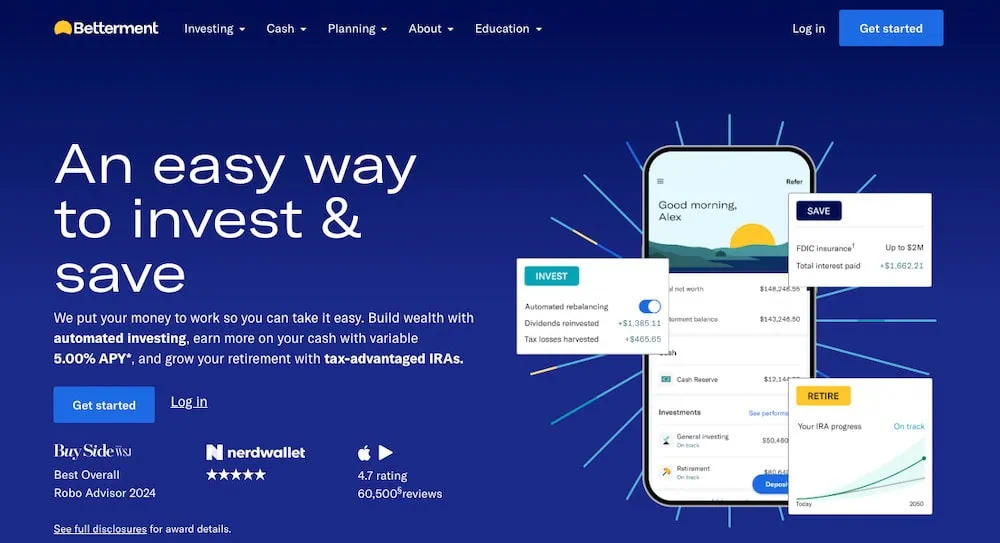
Betterment is a robo-advisor platform that allows you to invest in pre-built portfolios—with different themes and goals—in taxable accounts as well as individual retirement plans.
Betterment’s primary offering is ETF-only portfolios that provide varying types of exposure depending on your risks and interest. For instance, Core is a stock-and-bond portfolio that keeps you invested in most domestic and international securities, in the ratio of stocks to bonds that’s most appropriate for you. Social Impact buys stocks and bonds of companies with “a demonstrated focus on supporting social equity and minority empowerment.”
There are no self-directed options, however. The portfolios buy fractional shares of ETF index funds tracking benchmarks like the S&P 500 to keep you invested in stocks and bonds. But the service does not allow you to invest in individual stocks or bonds. The app has added crypto portfolios holding digital currencies such as Bitcoin and Ethereum, but again, you can’t buy them individually—only through pre-built portfolios held in separate crypto accounts.
That makes Betterment one of the best investment apps for beginners—especially those who don’t want to be particularly active in selecting what they hold.
One interesting perk that stands out: Betterment’s tax-loss harvesting feature.
If you invest in a taxable account, and you sell an investment for a gain, you’ll owe taxes on those gains. (What you owe differs depending on whether you’ve held that investment for more than a year.) However, if you sell an investment for a loss, you can use that to offset your capital gains, and thus the taxes you’d pay on them, or if your loss is more than your gains (or you don’t have any gains at all), you can even reduce taxes owed on your personal income, subject to a $3,000 annual cap.
It can be a complicated strategy, but Betterment’s Tax Loss Harvesting+ automates the process for you. It will regularly check your portfolio for tax-loss harvesting opportunities, then take the proceeds from selling those investments and reinvest them where it makes sense for you.
Just note that Betterment is different from many traditional brokers in that it’s a subscription-based product. Betterment charges $4 per month to start; however, if you set up recurring monthly deposits totaling $250, or reach a balance of at least $20,000 across all Betterment accounts, the fee changes to 0.25% of all assets under management. Betterment Premium provides unlimited financial guidance from a Certified Financial Planner™. Premium costs 0.65% annually, and upgrading requires having at least $100,000 in assets with Betterment.
- The Betterment app gives you the tools, inspiration, and support you need to become a better investor.
- Start with as little as $10 and use the top-rated mobile app to set up automatic investing into diversified ETF portfolios.
- You can also invest in diversified preset cryptocurrency portfolios.
- Customize your risk tolerance and investment goals with guidance available at any time.
- By upgrading to Premium, you can unlock unlimited financial guidance from a Certified Financial Planner™.
- Betterment customers with at least $100,000 in assets may be eligible for an interest-rate discount on select mortgages, as well as hundreds of dollars in closing-cost credits.
- Hands-off investment management
- Diversified portfolio that automatically rebalances
- Low-cost investment selection
- Limited investment selections
- Limited crypto diversification in cryptocurrency portfolios

Do you want to get serious about saving and planning for retirement? Sign up for Retire With Riley, Young and the Invested’s free retirement planning newsletter.
Related: 10 Best Stock Advisor Websites & Services to Seize Alpha
4. You Need a Budget (Smart Budgeting Platform)
- Available: Sign up here
- Platforms: Web, mobile app (iOS, Android), smart speaker (Alexa)
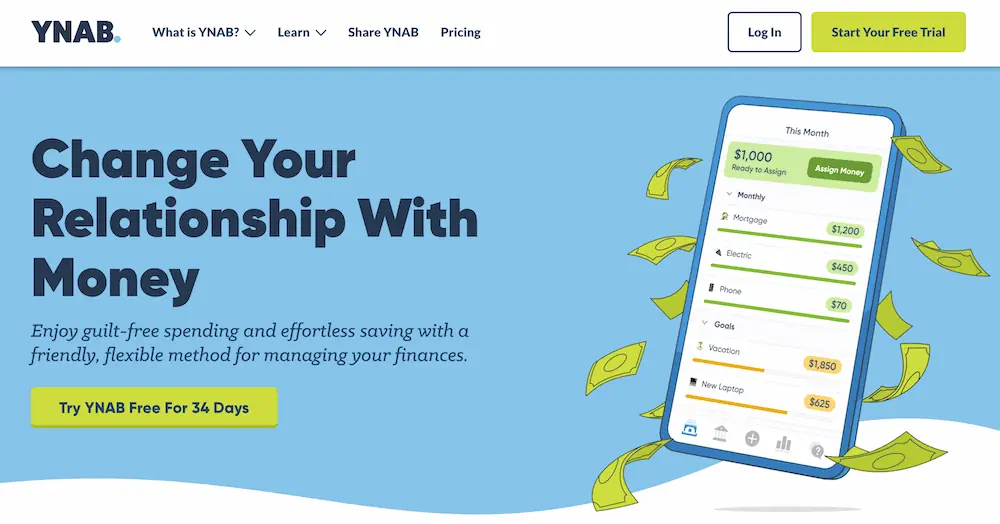
YNAB (You Need a Budget) is a premier budgeting app that links to your bank(s), determines how much money you have, tracks your monthly income, and helps you determine what your expenses are and when they need to be paid.
YNAB’s features can improve how you spend, save, and plan your finances. For instance, the app tracks fixed expenses and allows you to budget for less frequent variable expenses. It can help you save money by establishing goals. You can also understand your mortgages, student loans, and other debt better—YNAB’s loan calculator shows you how any change to your monthly payments will affect how much interest you owe and how quick you’ll pay off your debt.
And you can put it all together with YNAB’s Net Worth Report, which provides a snapshot of your various account balances.
This is one of the most accessible budgeting apps, too. You can budget at home on your desktop or tablet. If you’re out shopping, you can easily access YNAB via your iPhone or Android smartphone. And if you have a question about your budget but have no free hands, no worries—you can have your Apple Watch or Amazon Echo device talk to you about your finances.
The app’s features aren’t just great on paper—the results are real, too. Surveys conducted by YNAB show that new users saved $600 on average by just their second month.
Try You Need a Budget free for 34 days without entering any credit card information. After that, you can sign up for monthly or annual billing.
- You Need a Budget (YNAB) is an award-winning software platform which uses a proven method to teach you how to manage your money and get ahead.
- Budgets update automatically and in real time, and can be accessed on your computer, phone, or tablet.
- Customizable
- Allows for multiple budgets
- Difficult for beginners
- No bill tracking or bill pay
- No investment tracking features

Make Young and the Invested your preferred news source on Google
Simply go to your preferences page and select the ✓ box for Young and the Invested. Once you’ve made this update, you’ll see Young and the Invested show up more often in Google’s “Top Stories” feed, as well as in a dedicated “From Your Sources” section on Google’s search results page.
5. Tiller (Spruce Up Your Spreadsheets)
- Available: Sign up here
- Platforms: Web
Have you ever made a budget in Excel? Well, soup up that concept, and that’s what you get with Tiller.
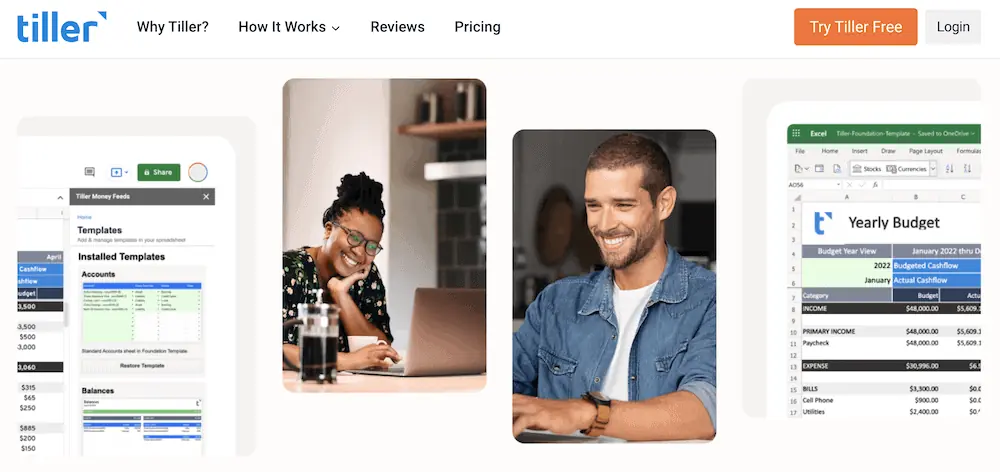
This automated personal finance service provides highly customizable Google Sheets and Microsoft Excel templates that allow spreadsheet lovers to use their favorite formulas. Better still, they can pull in real-time data by connecting Tiller to your bank accounts, credit cards, and more, meaning you never have to manually enter in a single number.
From there, you can choose a template and customize it to display the data that’s important to you. You can create custom charts and reports. You can adjust data to test different scenarios that could affect your net worth. And the optional AutoCat feature automatically categorizes your income, transfers, and spending based on your custom rules. Want to know how you’re doing on a regular basis? Opt in to receive daily emails summarizing your account activity.
The service is funded only by subscriptions—Tiller doesn’t sell your personal data to third parties or advertisers—and members can use up to five spreadsheets per subscription. Sign up for a 30-day free trial today.
Related: 8 Best Stock Picking Services, Subscriptions, Advisors & Sites
- Tiller helps you organize your financial life by connecting your various bank and other financial accounts to an easy-to-read spreadsheet.
- Highly customizable templates allow you to track your net worth and any other financial metrics that are important to you.
- Easy to use
- Works with basic spreadsheet programs
- Can connect with more than 21,000 financial institutions
- Supports investment accounts but cannot show portfolio holdings
- Limits number of spreadsheets you can use with one subscription

6. PocketSmith (Net Worth Tracker With Finance Tools)

- Available: Sign up here
- Platforms: Desktop app (Windows, MacOS, Linux), web, mobile app (iOS, Android)
PocketSmith helps users view their current financial patterns to help them pave a path toward growing their net worth in the future.
Users can automatically import and categorize transactions from more than 14,000 banks and other financial institutions worldwide. Have assets and liabilities in different countries? No worries: PocketSmith automatically converts data into whatever currency you want based on daily rates.
The platform’s historical reporting feature provides ample insights into your past earnings and spending habits. PocketSmith then helps you take those insights and turn them into learning opportunities by showing you how changes in your behavior will affect your future financial situation. The software will show you, to the day, what your net worth will look like up to three decades in the future.
In addition to net worth tracking, noteworthy PocketSmith features include a budget planning calendar, automatic interest calculations, Mint migration, and the ability to invite other PocketSmith users—including an advisor—to view and even manage your account. One of our reviewers also noted the ease with which he could manage income from his day job and his side gigs. We also love the technological flexibility; PocketSmith is available on the web, mobile apps, and desktop apps—it even supports Linux!
A quick look at PocketSmith’s plans:
- Free: Allows you to connect up to two bank accounts, can provide up to 12 budgets, and projects finances up to six months out.
- Foundation: Free’s features, but adds automatic bank feeds, unlimited accounts and budgets, six dashboards, six connected banks from one country, email support, and up to 10 years’ worth of projection.
- Flourish: Foundation’s features, but adds 18 connected banks from all countries, 18 dashboards, and up to 30 years’ worth of projections.
- Fortune: Flourish’s features, but adds priority email support, unlimited connected banks from all countries, unlimited dashboards, and up to 60 years’ worth of projections.
Check out plan pricing in the box below, and click here to start your journey with PocketSmith.
- PocketSmith is a powerful net worth tracker that helps you understand how your past and current financial choices can affect your future.
- Excellent product for expats: It supports international banks and can show all transactions and balances in one single currency.
- Highly customizable budgets that allow you to plan a month at a time or down to the day. You can also test out your budget by plotting "what-if" scenarios against your plan.
- Integrates with several platforms, including Mint and Xero.
- High number of app choices, including desktop with Linux compatibility
- Supports international banks
- Excellent budgeting calendar
- High cost to unlock all features
- Connecting investment accounts can be complicated
- Few investment-related features

Related: 15 Best Investing Research & Stock Analysis Websites
7. Google Sheets (Free DIY Option)

- Platforms: Web, mobile app (iOS, Android)
DIY net worth trackers might consider opening up Google Sheets.
This is an option for truly self-motivated people. Google Sheets doesn’t have a net worth tracking template in its template gallery. But you can easily create your own system that you can organize exactly how you want.
Unlike a physical spreadsheet, Google Sheets can calculate for you to prevent mathematical errors. Of course, you also have to manually update the numbers to track your current net worth. While the best net worth trackers update automatically, you can’t connect a bank account to Google Sheets on your own.
Still, there’s no cost here—using Google Sheets is completely free—so we think this is worth considering if you’re a go-getter.
Do you want to get serious about saving and planning for retirement? Sign up for Retire With Riley, Young and the Invested’s free retirement planning newsletter.
Related: 11 Best Stock Trading Apps [Free + Paid]
Related Wealth Tracker + Net Worth Questions

How to Calculate Net Worth
If you want to calculate your net worth, you need to know how much you have in assets, and how much you have in liabilities.
First, find the sum of all your assets. This includes cash, money in savings and checking accounts, investments, and any equity you have in a car, real estate, or similar assets.
Next, find the sum of all your liabilities. This is any money you owe—say, student loans, mortgages, or credit card debt, but it can even be unpaid bills or money you owe to a person, business, or government. (By the way: Even tracking just that debt will do wonders for understanding your financial situation.)
Take the sum of the assets you calculated and subtract the total liabilities to know your net worth. As a formula, it’s simply:
Assets – Liabilities = Net Worth
How Can I Track My Net Worth?
One method to track your net worth is through the use of spreadsheets. This is more organized than using a pencil, paper, and calculator. Spreadsheets are also free to use.
Another option for net worth tracking is to use an app. Using an app to track your net worth usually isn’t free, but it is easier, more accurate, and updates automatically. Once you have all of your bank accounts connected, the personal finance app does all of the work for you. Helpfully, these apps typically boast other features you can use to achieve your financial goals.
How Do You Set Up a Net Worth Tracker?
Services that track your net worth usually have you start by connecting your bank account and any investment accounts. They might also have you connect credit cards and any other debt accounts.
If your app does support automatic tracking, the app will start taking care of all the calculations so you can track your net worth. As you spend and earn more money, it will automatically update your net worth so you’ll know how you’re doing at all times.
The best net worth trackers usually offer other features, from budgeting tools to investment advisory services that help adjust your asset allocation, or they might provide other independent financial advice. All of these features can help you increase your net worth over time.
If you’re manually net worth tracking, you’ll have to add all of your assets and liabilities to a spreadsheet. Then, you’ll need to take the total of your assets and subtract your liabilities to find your net worth. And because these numbers aren’t automatically updating, you’ll have to update your numbers regularly to accurately keep track of your net worth.
Related: Best Personal Capital Alternatives to Empower Your Finances