


Choosing which kids’ debit card to get your child may feel overwhelming. In addition to your own daily decisions, you make endless decisions for your child. You have to pick out their outfits, meals, and much more.
According to Eva Krockow, lecturer at the University of Leicester, people make upwards of 35,000 decisions per day. The good news is that I can help make one of your decisions—which kids’ debit card to get—much easier. I’ve already thoroughly analyzed all of the top cards in the market.
Today, I’m going to give you an in-depth look into both BusyKid and Acorns Early. For each card, I’ll provide an overview, breakdown of costs, and list of noteworthy features. For anyone not convinced either card is the perfect fit for their family, I’ll also give you my thoughts on a few other highly competitive kids’ debit cards.
Table of Contents
BusyKid vs. Acorns Early Comparison
  |  |
|
|---|---|---|
| WealthUp Rating | ☆ 4.0 / 5 | ☆ 4.4 / 5 |
| App Store Rating | ☆ 3.4 / 5 | ☆ 4.6 / 5 |
| Price* | $48/yr. | Acorns Early Lite: Free 30-day trial, then $8/mo. Acorns Gold (Includes Acorns Early Invest): $12/mo. |
| Billing | Annually | Monthly |
| Special Offer | Free 30-day trial | Free 1-month trial |
| Allowed Cards Per Subscription | 5 | 4 |
| Minimum Age** | No | 6 |
| Features That Make This Card Stand Apart | Low price compared to other kids' paid debit cards | Videos and quizzes that teach money skills, excellent customer service |
Basics | | |
| Spending | Yes | Yes |
| Saving | Yes | Yes |
| Investing | Yes (Stocks and ETFs) | ETFs (Acorns Gold plan only) |
| Giving/Donating | Yes | Yes |
Funding | | |
| Funding Source(s) | Checking account, debit, or credit card | Debit card, credit card (Does not accept AmEx) |
| Direct Deposit | No | Yes |
| Allowance | Yes | Yes |
| Chores | Yes | Yes |
| Gifting | Yes ($1/transfer) | Yes |
| Cash Reload Fee | N/A (No cash reload) | N/A (No cash reload) |
Saving/Spending | | |
| Savings APY | None | 3.35% (on emergency savings) |
| Round-Ups | No | No |
| Other Savings Features | Parental Match | Parent-Paid Interest |
| ATM Network | Allpoint (55,000+ ATMs) | Allpoint (55,000+ ATMs) |
| ATM Transaction Fee | $1.50 (Operator fee may apply at out-of-network ATMs) | None at in-network ATMs. Third-party fees may apply at out-of-network ATMs |
| Card Network | Visa | Visa |
| Compatible Mobile Wallets | Apple Pay, Google Pay | Apple Pay, Google Pay |
Parents | | |
| Parental Controls | Medium (Limited transfers from app to card) | High (Single-transaction and/or weekly spending limits, transaction type-level controls) |
| Parental Monitoring | Yes | Yes |
| Parental Notifications | Yes | Yes |
Other Features | | |
| Cash Back | No | No |
| Builds Credit | No | No |
| Customization options | Select from 10+ preselected designs | Yes, 35+ options |
| Refund Policy | 30-day money-back guarantee | No refunds given, month-to-month pricing |
 | |
|
| * Prices do not include processing fees when applicable. ** Many cards have different suggested minimum ages. We are only listing any hard-and-fast minimum age requirements. |
||
BusyKid Overview
- Available: Sign up here
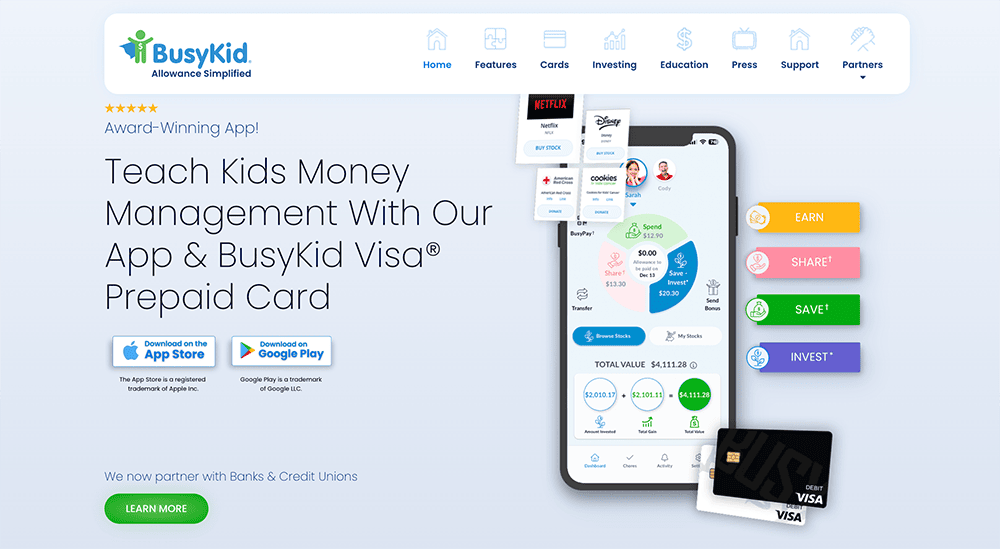
If you’re looking for prepaid debit cards for kids that let your kids spend while learning about money, and lets you pay them allowance, consider the award-winning BusyKid app and the connected BusyKid Visa Spend Card.
BusyKid started as an easy-to-use, interactive chore app but has since added a prepaid debit card for kids that allows your children to spend their money both in person and online. Better still: Your children can earn money by completing chores and other tasks around the house, then use the app to learn valuable financial skills, such as budgeting, saving, and even giving back.
Parents can pay allowance on an ad hoc basis, or they can set up Auto-Allowance. When parents add to their children’s accounts, that money can be split among their Save/Invest, Share, and Spend allocations:
- Save/Invest: Parents can automatically allocate money toward a savings basket, and they can also match any money their children elect to save.
- Spend: When your kid is ready for a little independence, they can spend from this account using BusyKid’s Visa Spend Card.
- Share: Children can choose which charities they would like to give money to, and parents must approve before the cash is transferred.
Parents aren’t the only people who can add money to children’s BusyKid accounts. With BusyPay, parents can share a simple QR code that allows grandparents, aunts, uncles, other family members, and even friends to add money—whether it’s a birthday present or a payment for chores. BusyKid charges the giver a $1 fee plus any credit card or bank transaction costs.
BusyKid also allows children to invest their earnings through the app. Doing so requires setting up a separate Apex Clearing account. Children can choose to invest in hundreds of stocks and ETFs with as little as $10.
BusyKid has no minimum age requirement.
In addition to the $4 monthly subscription, BusyKid charges other fees, including 50¢ per declined transaction, $5 for a card reissue, and a $5 monthly fee for paper statements.
- BusyKid is an award-winning, parent-approved app that educates kids about money.
- Parents can pay allowance on an ad hoc basis, or they can set up Auto-Allowance.
- Parents can split allowance money across Save (and even match money in the Save category), Spend (which kids can access with their Visa Spend Card), and Donate (children can choose charities to donate to; parents must approve).
- Parents can set up a separate Apex Clearing brokerage account to allow their children to invest earnings through BusyKid, with as little as $10.
- Feature-heavy allowance function
- Offers investment functionality
- Combines several kid-focused financial needs in one app
- Charges a fee
- Lower customer user ratings than competitors

Related: 8 Best Greenlight Alternatives [Cards for Kids & Teens]
BusyKid Plans + Costs
BusyKid has a simple, single subscription tier that costs $48 per year. While the site breaks out the cost as $4 per month, you’re billed annually.
| Plan | Monthly Fee | Features Offered Under Plan |
|---|---|---|
| BusyKid | $4/mo. (Billed annually, so $48/yr.) | - BusyKid Visa Spend Cards for up to five kids - Core financial tools - Parental controls - Chores - Allowance - Savings matches - Ability to earn, save, spend, invest and give |
People outside of the BusyKid account who want to send money to a child must pay a $1 fee per transaction.
Past that, BusyKid’s other fees are pretty standard and minimal. For instance, it charges a $5 replacement-card fee and a 50-cent domestic fee for declined charges.
If you’re not satisfied, BusyKid provides a 30-day subscription-back guarantee. While it sounds nice, that’s actually a step down from most other cards. I’ve reviewed more than a dozen kid-focused cards, and most of them offer 30-day/one-month free trials—meaning you don’t have to spend anything until you’re sure you’re happy with the product. With BusyKid, you have to pay up front, then ask for a refund if you’re not happy. It’s a small difference, but one I think is worth noting.
And for what it’s worth, it’s actually a step better than Greenlight, which no longer offers a free one-month trial.
Related: 8 Best Teen Checking Accounts [Banks for Teens]
BusyKid Features

Below, I’ve listed a number of BusyKid’s most prominent features. Like with all debit cards aimed at children and teens, some of these features are for the kids, but others are meant to keep parents happy (and sane).
BusyKid Visa Spend Card
The BusyKid Visa Spend Card is a prepaid debit card for kids and teens that acts as the physical central point of the BusyKid experience. Each BusyKid subscription comes with up to five of these kids’ debit cards, which are intended for use by children ages 5 through 17. Kids can choose from a small selection of more than 10 designs.
Adults can instantly transfer funds to their children at any time. Kids have to follow the set spending limits, so they can’t overspend as they learn money management skills.
Every debit card is backed by the Visa Zero Liability guarantee, which means if your kid’s card gets lost or stolen, or misplaced and fraudulent charges crop up, you can dispute the charges within a certain time frame to avoid liability for paying.
Related: 13 Best Money Apps for Kids [Banking, Investing + More]
Parental Controls
Parental controls are essential for parents who want to retain some peace of mind while their kids develop money management skills.
BusyKid’s parental controls are pretty rudimentary:
- Parents can monitor all transactions made either in the app or with the BusyKid Visa Spend Card.
- By using the “Lock Money Transfers” feature, parents can prevent their kids from transferring money among their Save, Share, and Spend areas. Kids will still be able to use the money in these accounts, but each transaction will require a parent’s approval.
Chores + Allowance
Some parents like to pay an allowance to their younger children, which might or might not be connected to chore completion. BusyKid allows you to pay an allowance to and/or set chores up for your child. For chores, parents can set up their own chores and payment amounts, or they can use BusyKid’s preset chore chart, where chores and allowance are preset based on a child’s age. As kids complete their chores, they can click “I did it!” inside the BusyKid app.
BusyKid pays kids each Friday based on any chores the child has marked “Done” since the previous Friday. Parents will be notified and asked to approve; when it is, it will be deposited into the child’s various account areas depending on how their allocations were set up.
BusyPay
The BusyPay feature lets family and friends instantly send money to a BusyKid account, whether it’s as a birthday or holiday gift, payment for helping out, or just because. It’s easy, too—a child just has to share a QR code, and anyone can pay them. (Note: The payer is charged a $1 fee to use this feature.)
Related: How to Get Free Money Now [13 Ways to Earn Money Today]
Bonuses + Savings Matches
Several BusyKid features help your children accelerate their earning and saving.
For instance, let’s say your teen stepped up to babysit a younger sibling, or one of your kids got a perfect report card—BusyKid allows parents to pay a bonus to any of their kid’s account areas or even directly to the BusyKid Spend Card.
Parents can also establish a savings match, which is similar to a 401(k) match. Parents simply select a weekly percentage match, or a monthly max that’s dividend equally across all the weeks in a month, and BusyKid will transfer the appropriate amount of additional funds to the kid’s account based on how much they save.
Related: 8 Best Round-Up Apps for Saving + Investing Money Instantly
Investing
Learning to invest is an important part of the personal finance journey. BusyKid helps children with that journey by providing commission-free stock trading.
BusyKid offers commission-free trading of stocks and exchange-traded funds (ETFs), allowing kids to start investing with as little as $10. BusyKid provides access to “hundreds” of popular stocks and ETFs—a considerably smaller selection than the thousands of stocks and ETFs available from traditional brokerage accounts, but a sufficient world of assets to get a child started.
Related: Best Investing Apps for Teens Under 18 [Stock Trading Apps]
Charities
Parents who want to instill the importance of giving back to their children at a young age can allow their kids to donate a percentage of their allowances to charity. Kids can choose among roughly 50 charities, and BusyKid even welcomes suggestions for other charities to add.
You can sign up for BusyKid here.
Related: BusyKid vs. Greenlight [Which Is the Better Kids’ Debit Card?]
Acorns Early Overview
- Available: Acorns Early Lite | Acorns Gold
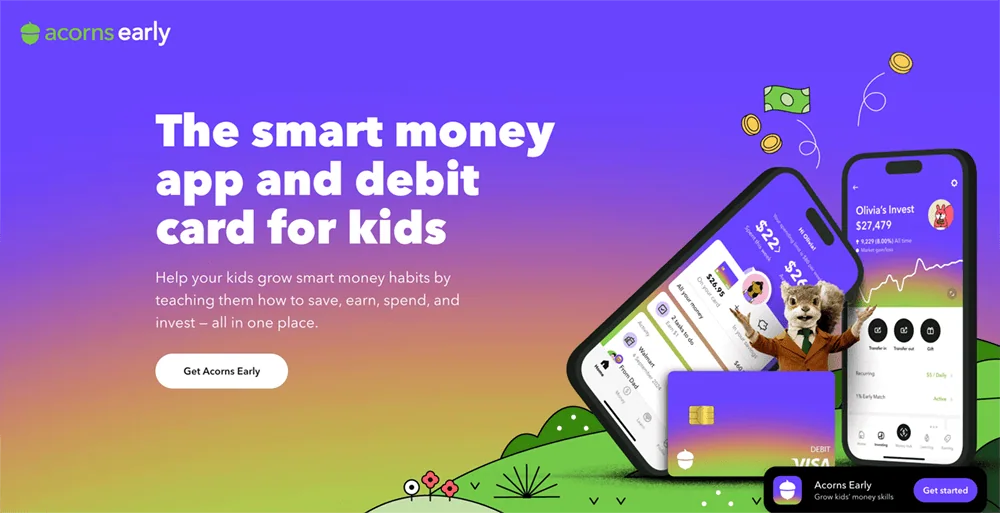
Acorns Early is a complete financial solution for minors—a debit card, yes, but also an app-based ecosphere that provides education and experience for the child, as well as ways for parents to keep their kids safe and teach them responsibility.
An Acorns Early account includes a smart money app, as well as Visa debit cards for up to four children. These debit cards can be used to spend anywhere Visa is accepted (so, millions of vendors online and in stores), as well as withdraw cash from ATMs. An Acorns Early account also allows kids to set savings goals, which they can fund manually or via autosave. And the app also hosts educational materials to help children and teens alike develop good money habits.
This FDIC-insured account also enjoys a variety of safety features, including chip and PIN protection, secure PIN recovery, and fraud protection. It also has parental controls such as spending notifications, card lock/unlock, and adjustable spending limits.
Acorns Early offers some of the best customer service in this product class, including seven-day-a-week phone service (9 a.m. to 8 p.m. ET Monday-Friday, 9 a.m. to 5 p.m. ET Saturday-Sunday), as well as 24/7 live chat support. It’s one of several reasons why we rate Acorns Early among the best prepaid debit cards for kids.
You can get all of the above features by signing up for Acorns Early Lite. However, if you sign up for Acorns Gold, you’ll get everything in Acorns Early Lite, plus unlock access to Acorns Early Invest (a UGMA/UTMA custodial account you can use to invest for your kids’ future). And because Acorns Gold is an adult account, you’ll enjoy features such as banking, investing (including IRAs), Round-Ups, and more.
Acorns frequently offers small bonuses for anyone who signs up with our links. You can check out current offers in the box below.
- Acorns Early is a debit card and financial app designed to provide education, experience, and confidence in saving, spending, and earning, to kids ages 6-18.
- Accounts come with a smart money app and up to 4 Visa debit cards, which allows your kids to spend in stores and online, and withdraw money from ATMs.
- Kids can also earn allowance, complete chores for money, set savings goals, even give to charity.
- Parents can rest easy knowing there are plenty of guardrails in place, including chip-and-PIN technology, fraud protection, and parental controls such as spending notifications, card locking, and adjustable spending limits.
- Acorns Early also provides educational resources tailored for kids of all ages, as well as sterling customer service (including everyday phone availability and 24/7 chat).
- All of the above is available via the Acorns Early Lite subscription.
- An Acorns Gold subscription delivers everything in Acorns Early Lite, as well as access to Acorns Early Invest (a UGMA/UTMA custodial account where you can save toward your kids' future and get a 1% match on up to $7,000 in contributions annually). Parents also enjoy banking and investing features such as an IRA with a 3% match for your first year, a high APY on emergency savings, Acorns' "Round-Ups," and more.
- Special offer (1): Get a free 30-day trial and $5 allowance when you sign up for Acorns Early Lite.
- Special offer (2): Get a $20 bonus investment when you sign up for Acorns Gold.
- Strong parental controls (including card-use controls and adjustable spending limits)
- Chores and allowance
- FDIC insurance
- Allows for ACH payments
- Convenient "Giftlinks" for non-accountholders to give money to kids' accounts
- Customizable cards (with fee)
- Must sign up for Acorns Gold to get investing
- No fee-free ATM network

Related: 29 Best Side Hustles for Teens [In-Person + Online]
Acorns Early Plans + Costs
You can get Acorns Early through two plans: Acorns Early Lite and Acorns Gold:
| Plan | Monthly Fee | Features Offered Under Plan |
|---|---|---|
| Acorns Early Lite | $8/mo. | - Up to 4 debit cards - Automatic allowance and tasks - Money Missions - Savings goals - Spending notifications - Network of 55,000+ fee-free ATMs - Zero Liability Protection by Visa - FDIC insurance up to $250,000 through a partner bank |
| Acorns Gold | $12/mo. | Everything under the Acorns Early Lite plan, plus parental features including: - Acorns Early Invest (UGMA/UTMA custodial account) - Round-Ups - APY on Emergency Savings - First-year IRA match |
Acorns Early Lite provides all of the features a child would need. However, getting Acorns Early through the Acorns Gold subscription provides a number of parental features, including the ability to invest for your child via a UGMA/UTMA custodial account.
Related: 11 Best Debit Cards for Kids [2026]
Acorns Early Features

Below, I’ve listed a number of Acorns Early’s most prominent features. Many of them are designed to keep kids and teens happy, but others help parents keep an eye on their children’s spending.
Acorns Early Card
The Acorns Early card is a Visa-branded prepaid debit card that can be used anywhere Visa is accepted. It also allows for the fee-free use of 55,000-plus Allpoint ATMs; you’ll only incur third-party fees from unaffiliated machines.
Parents load their parent account via a linked debit card or credit card, though Acorns Early doesn’t allow you to fund via American Express. Loading is done from the parent account.
Each child can choose from 35 different customizable Acorns Early debit card designs or create a customized card for $4.99. When you open an Acorns Early account, you should receive your children’s debit cards in the mail seven to nine business days later.
Cardholders enjoy Visa’s Zero Liability Policy, which means you nor your child are responsible for fraudulent or unauthorized charges made with the debit card.
The card includes Chip and PIN-protected transactions, secure PIN recovery within the Acorns Early app, and bank-level encryption.
Related: 9 Best Debit Cards for Teens [Reviewed by a CPA + Father]
Parental Controls
Acorns Early offers a few parental controls to ensure children are using their debit cards responsibly, including:
- Spending overviews
- Real-time spending alerts
- Single-transaction and/or weekly spending limits
- ATM withdrawal limits
- Enabling/disabling spending at ATMs, in stores, and/or online
Acorns Early also automatically blocks spending at “over 18” merchants, such as casinos, alcohol wholesalers, adult-themed sellers, and more. Optionally, you can turn on a “strict merchant block” from any businesses that sell age-restricted items, even if they also sell kid-friendly merchandise. (For instance, your child wouldn’t be able to buy candy at a convenience store that sells alcohol.)
You can also block and unblock the card as needed from your parent account. So, let’s say your child has lost their card—you can block any expenditures on it until it’s found, then unblock it once it’s back in your child’s care.
Related: 10 Best Kids Savings Accounts + Children’s Bank Accounts
Allowance + Chores
Parents can reduce their mental load and put allowance on repeat every week. Just choose the amount, and the day of the week, and it’ll automatically be sent to your kids from then on.
You can also set chores for your child, such as walking the dog, doing homework, or sweeping. Kids get paid as chores are marked completed either by you or your child. Any chores marked as complete will be paid out when weekly allowance is due.
Related: Acorns Early vs. Axos First Checking [Which Is the Better Teen Debit Card?]
Instant Money Transfers
In addition to paying a regular allowance, parents can instantly send money to a child at any time. Instant money transfers are a great way to reward a child, gift money for a special occasion, or send money in the event of an emergency.
Savings Goals
Kids can set up savings goals through Acorns Early to start building the essential habit of setting money aside. They can set a target amount and/or date and, if they find it motivating, add an image. Acorns Early also offers weekly autosaving to help children reach their goals faster.
Related: 7 Best Investments for Kids [Investing for Children]
Parent-Paid Interest
Earning interest is an excellent way to motivate kids to save. While Acorns Early itself doesn’t pay interest to kids accounts, it does offer parent-paid interest. When this feature is enabled, parents can pay a predetermined rate on any deposits in the child’s savings account. The interest is paid on the first of each month from the parent’s account.
Money Missions
In addition to the hands-on financial experience kids gain through Acorn Early’s debit card, they can increase their financial literacy through Acorns’ in-app Money Missions.
The short stories, videos, and quizzes are easy to binge, and learning is gamified through earning badges. These lessons are tailored for your child’s age, so younger kids learn money basics and older kids learn more advanced topics. Money Missions are developed by teachers and financial education experts and follow the K-12 Personal Finance Education National Standards.
My suggestion? Give your kids small monetary rewards for successfully completing lessons.
Giftlinks
You’re not the only one who can send money securely to your child through Acorns Early. Anyone you give a Giftlink to can send money as well. So if grandparents want to send money for a birthday or a family friend wants to gift money for a baptism, they can easily do so without anyone needing to deal with cash. They can even add a personal message.
The sender doesn’t even need to have the Acorns Early app. All they need is a credit card or debit card registered to a valid U.S. address (Cash, checks, nor prepaid debit cards won’t work, however.)
Customer Service
When Acorns Early swallowed up GoHenry, it inherited (and retained) some of the best customer service among kids’ debit card providers. They offer everyday phone availability (9 a.m. to 5 p.m. ET), email access, and social media engagement.
Acorns Early Invest
If you subscribe to Acorns Early through Acorns Gold, you can also get a UGMA/UTMA custodial account that allows you to invest in Acorns’ “Aggressive Portfolio” of exchange-traded funds (ETFs).
Parental Features
Signing up to Acorns Gold also unlocks access to a number of parental features, including an APY on Emergency Savings, round-ups on purchases that you can put into your investment account, and a match on new contributions to an Acorns Later individual retirement account (IRA).
Interested in Acorns Early? You can sign up for Acorns Early Lite here, or sign up for Acorns Gold here.
Related: Greenlight vs. Axos First Checking [Which Kids’ Debit Card Is Best?]
BusyKid vs. Acorns Early: Our Editors’ Choice Is …
BusyKid and Acorns Early are both paid plans, so it makes sense to only choose one.
For some families, BusyKid may make more sense. The biggest advantage BusyKid has over Acorns Early is that children can own stocks and ETFs in its investment account for kids; Acorns only offers a custodial account with a single investment option (its “aggressive” portfolio of ETFs). Also, a BusyKid account is slightly more affordable.
But, if you’re willing to pay a little extra, Acorns Early is the better option for most families. Acorns Early offers many more parental controls for parents nervous about giving their kids their first debit cards. Children have more design options to choose from and they can improve their financial literacy through Acorns Early’s videos and quizzes. Teens can also use direct deposit to send paychecks to their Acorns Early accounts.
If it’s important to you for your child to use this account for investing, you should sign up for BusyKid instead of Acorns Early. For most people, though, trying Acorns Early for free makes more sense.
|
Our Pick: Acorns Early
|
Runner-Up: BusyKid
|
|
Primary Rating:
4.4
|
Primary Rating:
4.0
|
Related: 10 Best Allowance and Chore Apps for Kids [Easier Family Life]
Other Debit Cards for Kids to Consider
Are neither BusyKid nor Acorns Early the best fit for you and your family? You may want to try one of these other highly rated debit cards for teens.
1. Greenlight (Best-Rated Debit Card for Teens)
- Available: Sign up here
- Price: Core: $5.99/mo. Max: $10.98/mo. Infinity: $15.98/mo. Family Shield: $19.98/mo. (All plans include cards for up to 5 children)
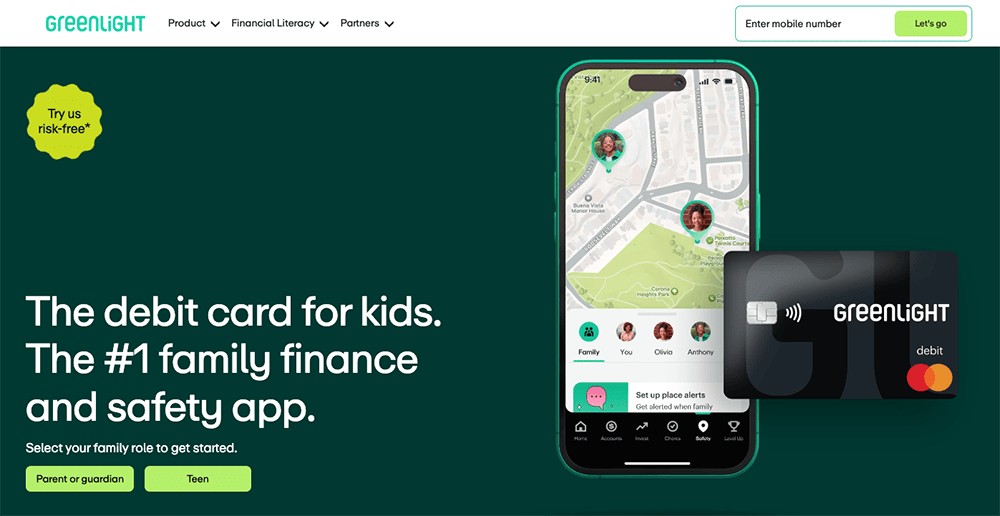
The Greenlight debit card allows kids to begin spending, but provides parents with peace of mind by giving them control over where their kids can spend money. Parents also can choose to receive alerts that tell them when, and how much, money is spent on the Greenlight debit card.
Greenlight works like a prepaid debit card, allowing you to transfer money onto the card for your child to pay for expenses at approved locations. You can choose how much money to load onto the card, and your child will be cleared to make approved purchases so long as a money balance backs up the card.
If your child asks for extra money to get added to the card, you can have them take a photo of the purchase they want to make and receive your approval. This gives you control and allows you to have discussions with your child about why a purchase might be a good or bad idea. And if your child has a job, they can add their own funds to the card via direct deposit.
Greenlight boasts numerous other features, too:
- Parents can open an investment account for kids to get their children investing in stocks and exchange-traded funds (ETFs) for the first time.
- Greenlight offers monthly savings rewards based on your tier, listed in the box below.
- Max, Infinity, and Family Shield families can also earn 1% cash back on their spending.
- You may also set up “Parent-Paid Interest” between you and your child, which allows you to foot the bill and pay interest on accounts for up to five kids.
Each monthly Greenlight subscription includes debit cards for up to five kids. Replacement cards cost $3.50 each but are free the first time. If you need to replace your card quickly, you can get express delivery for $24.99. The company also offers a personalized card, with your own photo or design, for $9.99.
Greenlight has no minimum age requirements for this card, but recommends starting at age 6 or older. Read more in our Greenlight card review or sign up today.
- Greenlight is a financial solution for kids that allows them to spend with a debit card, earn money on savings, and even invest their money.
- Greenlight offers flexible parental controls for each child and real-time notifications of each transaction. And it's the only debit card that lets you choose the exact stores where kids can spend on the card.
- Parents can use this app to teach kids how to invest with a brokerage account through Greenlight Max, Infinity, and Family Shield plans.
- Greenlight also provides educational materials such as "Level Up" lessons that simplify investing concepts, as well as videos about their favorite companies.
- Families can earn 2% (Core), 3% (Max), 5% (Infinity), or 6% (Family Shield) per annum on their average daily savings balance of up to $5,000 per family. Also, Max and Infinity families can earn 1% cash back on their monthly expenditures.
- Unlike many apps that simply provide features and controls, Greenlight is also designed to spark discussions with children about spending, investing, and more, fostering a better educational experience.
- Best-in-class parental controls (can prohibit specific stores)
- Can add brokerage account to invest in stocks
- Intuitive Parent + Kid apps
- Competitive cash back & interest rates
- Parent-Paid Interest
- High price points
- No cash reload options
- No parent / child lending

Related: How to Invest as a Teenager [Start Investing as a Minor Under 18]
2. Cash App Families (Cash App’s Debit Card for Teens & Kids)
- Available: Teens (13-17): Sign up here | Kids (6-12): Sign up here
- Price: Free* (no subscription fees)
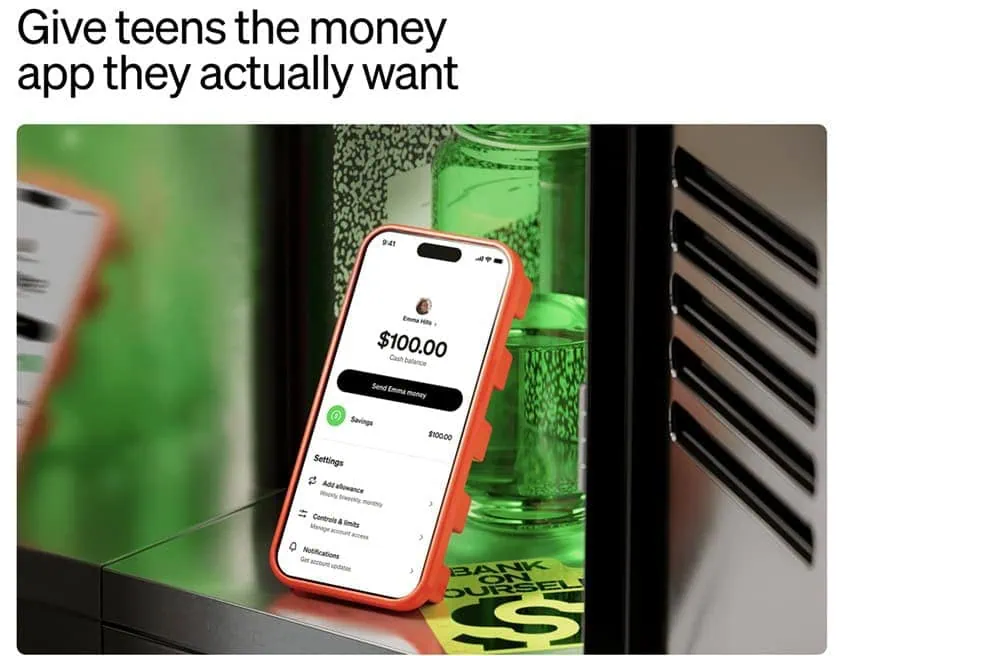
Do you want your children to start learning smart money habits? Cash App Families can accomplish that—with no subscription fees—by putting the power of Cash App into your kids’ hands while keeping their financial safety firmly in yours.
Teens can spend, save and invest with Cash App Families. A parent or guardian** sponsors the account, which comes with a designable Cash App Visa® Card they can use to spend money where Visa is accepted. Meanwhile, access to Cash App allows them to save money toward specific goals, send money to friends, accept offers for instant discounts at their favorite places, and check out securely in stores and online by using a QR code.
If your teen direct-deposits $300 or more each month, they’ll also unlock a bevy of other features, including getting paid two days earlier, no ATM fees¹ when withdrawing from more than 40,000 in-network ATMs, and one waived out-of-network ATM withdrawal per month.
Cash App Families even has an investing feature with fractional shares, allowing teens to purchase as little as $1’s worth of stocks and Bitcoin (parent permission is required).²
Younger kids, ages 6 to 12***, can learn money basics, too, through Cash App Families Managed Accounts. These provide a fully parent-managed money experience with no subscription fees, no minimum balance requirements, and no hidden charges, and they too can design their very own Cash App Visa® Card, making their first financial tool feel truly their own.
Both teens and kids can watch money grow thanks to Cash App’s high interest rates on savings balances and with the assistance of their parents/legal guardians.³ They also benefit from downright stellar parental controls and safety features. Parents can monitor activity from their own Cash App or receive real-time transaction alerts for kids’ payments and purchases. You control which features—stocks, Bitcoin², sending money, the Cash App Visa® Card—your teens can access, and certain spending categories are auto-blocked. For kids ages 6-12, all account access lives within your own Cash App—your child never logs in independently. You set the rules, and you can change them anytime.
Parents/guardians must download Cash App (also free). From there, they’ll either invite their teen to create a sponsored account, or create a managed account for children under age 13.
Use our links to sign up for Cash App, whether you need Cash App Families for teens (ages 13-17), or Cash App Families for kids (ages 6-12).
- Cash App Families now offers a free money apps and debit cards* to teens and children, allowing them to learn about, spend, save, and invest money while under the protection of a large suite of parental oversight tools.
- Pay your kids an allowance, and use Cash App's tools to save and budget together.
- Teens ages 13-17** get a customizable Cash App Visa® Card, can make and receive instant person-to-person payments, can fund their account with direct deposit, and can even buy as little as $1's worth of stocks and Bitcoin.²
- Teen features such as two-day early payment, free in-network ATM withdrawals, and a monthly reimbursement for an out-of-network ATM withdrawal are unlocked when $300+ is direct-deposited each month.¹
- Children ages 6-12*** also get a customizable Cash App Visa® Card. They can use their Cash App account to track their allowance, spending, and savings.
- Children and teens alike can earn 3.50% interest on their savings. No account minimums.³
- Safety features such as real-time transaction alerts, account monitoring (from the parent's Cash App), alerts for payments to new contacts, contact blocking, feature control, payments control, and 24/7 scam and fraud protections and monitoring. Also, Cash App auto-blocks certain spending categories to your child, and strangers can't find your kids in Cash App search.
- Parents must sign up for Cash App first, which they can do via either the Teens or Kids (Ages 6-12) links below.
- Free account and Cash App Visa® Card*
- Excellent parental controls (including feature lock and real-time transaction alerts)
- High yield on savings balances³
- Recurring allowance
- Stock and Bitcoin investing² (Teens only)
- Fractional shares² (Teens only)
- Customizable cards ($5+)
- FDIC insurance available on a pass-through basis (if certain conditions are met)****
- Certain benefits, such as free in-network ATM withdrawals¹, require direct deposit of at least $300 monthly
- No investing option in managed accounts (ages 6-12).

3. Chase First Banking (Best Kids’ Debit Card From a Major Bank)
- Available: Sign up here
- Price: Free (no monthly fees)
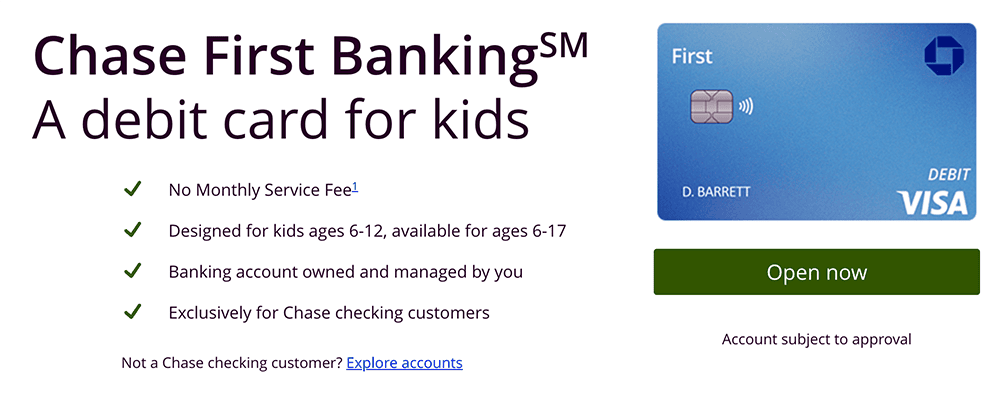
Ready to teach your little ones about earning, saving, and spending money, but not quite sure if you have the time, patience, and/or expertise? Chase First BankingSM offers simple banking for both of you in one location—the Chase Mobile® App—for free.
Chase First BankingSM helps parents teach teens and kids about money by giving parents the control they want and kids the freedom they need to learn. Among the account’s many features?
- One of the best free debit cards for kids and teens—it works anywhere Visa is accepted, and can be used to withdraw money fee-free* from more than 14,000 Chase ATMs nationwide
- Savings goals that you can track via the Chase Mobile® App
- Parental controls, such as setting limits on where and how much they can spend and withdraw from ATMs
- Account alerts that let you know where your child is spending
- Recurring chores and allowance
The account is designed with kids 6-12 in mind, and available for ages 6-17. To get started, you’ll first need to be a Chase customer with a qualifying Chase checking account. If you don’t already have one, consider opening a Chase Total Checking® or Chase Secure BankingSM account to qualify.
- Chase Total Checking® also grants access to thousands of branches and ATMs. You can pay $0 in monthly fees, subject to meeting certain conditions.** And you can collect a $400 new-customer bonus when you make total direct deposits of $1,000 or more within 90 days of coupon enrollment.
- Chase Secure BankingSM offers the same Chase ATMs and branch locations as well as a $125 sign-up bonus when you make stated qualifying activities and meet certain conditions.
Once you open a qualifying Chase Checking account, you may use our link to apply for a Chase First BankingSM account for your child.
- Chase First Banking is a free, just-for-kids banking account that teaches children and teens about their finances through the Chase Mobile® app and a Visa debit card.
- The account is designed with kids 6-12 in mind, and available for ages 6-17.
- Kids can use their debit card anywhere Visa is accepted, and withdraw money fee-free* from thousands of Chase ATMs.
- Parents can enjoy peace of mind by limiting how much and where their children can spend and withdraw money, and set up spending alerts.
- Parents can reward responsibility with allowance transfers, set to repeat on the schedule you choose.
- You must be a current Chase customer with a qualifying Chase checking account to sign up. If you don’t already have one, consider opening a Chase Total Checking or Chase Secure Banking account to qualify.
- Free account
- No monthly maintenance fees
- Chore and allowance functionality
- Parental controls on spend/ATM limit and location
- No paired investment account
- No interest

Read More on WealthUpdate
- Acorns Early vs. Greenlight: Which Kids’ Debit Card Is Best?
- 5 Dandy Dividend-Growth ETFs to Buy Now
- 7 Outdated Money Rules That No Longer Make Sense
Disclosures
Cash App Families for Teens + Cash App Families for Kids
Cash App is a financial services platform, not a bank. Banking services provided by Cash App’s bank partner(s). Prepaid debit cards issued by Sutton Bank, Member FDIC. Cash App Visa® Debit Flex Cards issued by Sutton Bank, Member FDIC, and The Bancorp Bank, N.A., pursuant to a license from Visa U.S.A. Inc. Offers, Instant Discounts, Savings, and Direct Deposit provided by Cash App, a Block, Inc. brand. Offers may not be affiliated with third party merchants.
* Card use fees apply. Free Cash App Cards come in black, white, pink, or glow-in-the-dark.
** Teens 13 to 17 can use Cash App with sponsorship by an eligible parent or guardian. To view the eligibility requirements for sponsoring a teen, please visit the Sponsored Accounts section of the Cash App Terms of Service.
*** Parents and legal guardians can open a managed account for kids 6-12. To view the eligibility requirements for sponsoring a teen or child, please visit the Sponsored Accounts section of the Cash App Terms of Service.
**** With a Cash App Card, your money is eligible for FDIC pass-through insurance through Wells Fargo Bank, N.A., Sutton Bank, and/or The Bancorp Bank, N.A., Members FDIC, for up to $250,000 per customer when aggregated with all other deposits held in the same legal capacity at each bank, if certain conditions are met. See the Cash App Terms of Service.
Cash App is a financial services platform, and not an FDIC-insured bank. Prepaid debit cards issued by Sutton Bank, Member FDIC. Cash App Visa® Debit Flex Cards issued by Sutton Bank, Member FDIC, and The Bancorp Bank, N.A., pursuant to a license from Visa U.S.A. Inc..
1 Cash App reimburses ATM fees for all in-network withdrawals when you deposit at least $300 monthly of Qualifying Deposits into Cash App, or spend $500 or more in Qualifying Purchases using your Cash App Card or Cash App Pay in a calendar month. Service fees may apply. See terms for more details.
2 Brokerage services provided by Cash App Investing LLC, member FINRA/SIPC, subsidiary of Block, Inc. Bitcoin services provided by Block, Inc. Bitcoin services are not licensable activity in all U.S. states and territories. Block, Inc. operates in New York as Block of Delaware and is licensed to engage in virtual currency business activity by the New York State Department of Financial Services. Investing and bitcoin are non-deposit, non-bank products that are not FDIC insured and involve risk, including monetary loss. Cash App Investing does not trade bitcoin and Block, Inc. is not a member of FINRA or SIPC. For additional information, see the Bitcoin and Cash App Investing disclosures. Additional fees for securities may apply such as regulatory fees and fees to transfer securities externally. Please see our House Rules for more information. Fractional shares investing may involve additional risks such as non-transferability. For additional information regarding the unique risks and limitations of fractional shares, please see your Investing Customer Account Agreement.
3 Cash App will pass through a portion of the interest paid on your savings balance held in an account for the benefit of Cash App customers at Wells Fargo Bank, N.A., Member FDIC. To earn interest on your Cash App savings balance, you need to have sponsor approval. Exceptions may apply. Savings yield rate is subject to change.