



Being a parent can feel like being a human ATM. You can’t (and likely don’t want to) just keep handing your child cash forever. Fortunately, there are much easier ways to give your kids money.
Debit cards for kids are a convenient way to transfer money to your child. Plus, kids’ debit cards teach them money management skills. Depending on the card, there may be numerous other useful features as well, such as interest on savings, investing capabilities, and more.
Since you’re here, you’ve likely narrowed your search down to Greenlight and Current, but aren’t sure which to choose. It’s an understandable dilemma as either card will make your life easier. The good news is that I can help you make that final decision.
Today, I’m going to directly compare Greenlight and Current. For each card, I’ll provide an overview, costs, key features, and other important information. And just in case you aren’t fully convinced either card is the perfect fit for your family, I’ll also give my thoughts on a few other competitive debit cards.
Table of Contents
Greenlight vs. Current Comparison
  |  |
|
|---|---|---|
| WealthUpdate Rating | ☆ 4.8 / 5 | ☆ 3.8 / 5 |
| App Store Rating | ☆ 4.8 / 5 | ☆ 4.8 / 5 |
| Price* | Core: $5.99/mo. Max: $10.98/mo. Infinity: $15.98/mo. Family Shield: $19.98/mo. | No monthly fees |
| Billing | Monthly | N/A |
| Special Offer | N/A | N/A |
| Allowed Cards Per Subscription | 5 | 1 |
| Minimum Age** | No | No |
| Features That Make This Card Stand Apart | Exceptional parent controls; Max, Infinity, Family Shield: Identity theft, purchase, and phone protection | Spending insights through money management tools, gas hold removals |
Basics | | |
| Spending | Yes | Yes |
| Saving | Yes | Yes |
| Investing | Stocks and ETFs (Max, Infinity, Family Shield plans) | No |
| Giving/Donating | Yes | No |
Funding | | |
| Funding Source(s) | Bank account, debit card, Venmo, PayPal | Bank account, debit card, check, third-party app, cash |
| Direct Deposit | Yes | No |
| Allowance | Yes | Yes |
| Chores | Yes | Yes |
| Gifting | Yes | Yes |
| Cash Reload Fee | N/A (No cash reload) | $3.50 per transaction |
Saving/Spending | | |
| Savings APY | Core: 2% Max: 3% Infinity: 5% Family Shield: 6% | 0.25% (up to 4% if you keep a qualifying direct deposit of $200 or more in your account) |
| Round-Ups | Yes | Yes |
| Other Savings Features | Parent-Paid Interest | None |
| ATM Network | None | Allpoint (55,000+ ATMs) |
| ATM Transaction Fee | $0 (Greenlight does not charge an ATM fee, but it is not part of an ATM network, so an ATM operator fee will apply) | $0 (Operator fee may apply at out-of-network ATMs) |
| Card Network | Mastercard | Visa |
| Compatible Mobile Wallets | Apple Pay, Google Pay | Apple Pay, Google Pay |
Parents | | |
| Parental Controls | High (Store-level controls and limit setting) | Medium (Spending limits, transaction type-level controls) |
| Parental Monitoring | Yes | Yes |
| Parental Notifications | Yes | Yes |
Other Features | | |
| Cash Back | Core: No Max, Infinity, Family Shield: 1% | No |
| Builds Credit | No | No |
| Customization options | Any image you want | No |
| Refund Policy | No refunds given, month-to-month pricing | N/A |
 | |
|
| * Prices do not include processing fees when applicable. ** Many cards have different suggested minimum ages. We are only listing any hard-and-fast minimum age requirements. |
||
Greenlight Overview
- Available: Sign up here
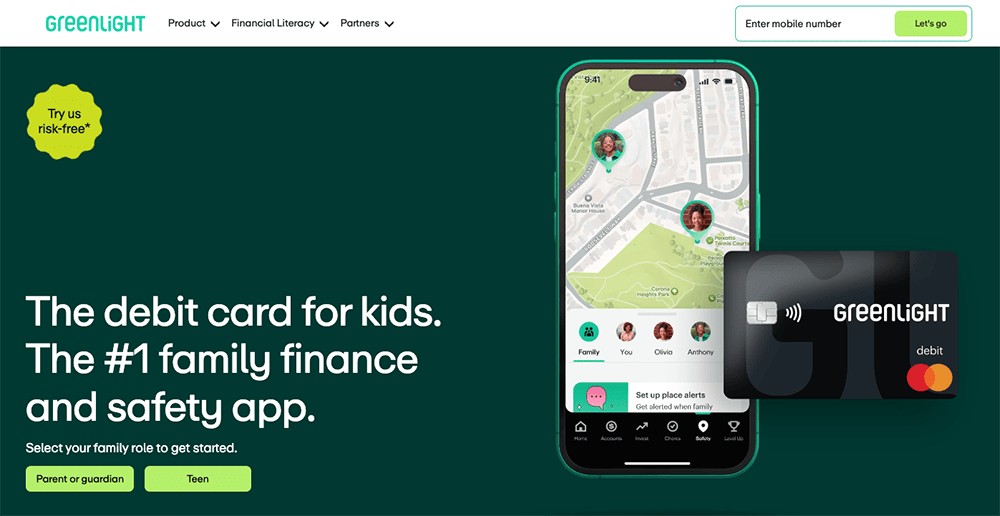
The Greenlight debit card allows kids to begin spending, but provides parents with peace of mind by giving them control over where their kids can spend money. Parents also can choose to receive alerts that tell them when, and how much, money is spent on the Greenlight debit card.
Greenlight works like a prepaid debit card, allowing you to transfer money onto the card for your child to pay for expenses at approved locations. You can choose how much money to load onto the card, and your child will be cleared to make approved purchases so long as a money balance backs up the card.
If your child asks for extra money to get added to the card, you can have them take a photo of the purchase they want to make and receive your approval. This gives you control and allows you to have discussions with your child about why a purchase might be a good or bad idea. And if your child has a job, they can add their own funds to the card via direct deposit.
The Greenlight debit card is a great choice for parents looking to teach their kids the importance of saving money, pay their children an allowance or track their chores, and show them how to make prudent financial decisions.
Greenlight boasts numerous other features, too:
- Parents can open an investment account for kids to get their children investing in stocks and exchange-traded funds (ETFs) for the first time.
- Greenlight offers monthly savings rewards based on your tier, listed in the box below.
- Max, Infinity, and Family Shield families can also earn 1% cash back on their spending.
- You may also set up “Parent-Paid Interest” between you and your child, which allows you to foot the bill and pay interest on accounts for up to five kids.
Each monthly Greenlight subscription includes debit cards for up to five kids. Replacement cards cost $3.50 each but are free the first time. If you need to replace your card quickly, you can get express delivery for $24.99. The company also offers a personalized card, with your own photo or design, for $9.99.
Greenlight has no minimum age requirements for this card, but recommends starting at age 6 or older. Read more in our Greenlight card review or sign up today.
- Greenlight is a financial solution for kids that allows them to spend with a debit card, earn money on savings, and even invest their money.
- Greenlight offers flexible parental controls for each child and real-time notifications of each transaction. And it's the only debit card that lets you choose the exact stores where kids can spend on the card.
- Parents can use this app to teach kids how to invest with a brokerage account through Greenlight Max, Infinity, and Family Shield plans.
- Greenlight also provides educational materials such as "Level Up" lessons that simplify investing concepts, as well as videos about their favorite companies.
- Families can earn 2% (Core), 3% (Max), 5% (Infinity), or 6% (Family Shield) per annum on their average daily savings balance of up to $5,000 per family. Also, Max and Infinity families can earn 1% cash back on their monthly expenditures.
- Unlike many apps that simply provide features and controls, Greenlight is also designed to spark discussions with children about spending, investing, and more, fostering a better educational experience.
- Best-in-class parental controls (can prohibit specific stores)
- Can add brokerage account to invest in stocks
- Intuitive Parent + Kid apps
- Competitive cash back & interest rates
- Parent-Paid Interest
- High price points
- No cash reload options
- No parent / child lending

Related: 40+ Ways to Make Money as a Teenager
Greenlight Plans + Costs
Greenlight has three subscription tiers that unlock and/or upgrade various sets of features:
| Plan | Monthly Fee | Features Offered Under Plan |
|---|---|---|
| Greenlight Core | $5.99 | Standard features: - Greenlight debit cards for up to five kids - Educational app - Core financial tools - Granular parental controls (store-level and category-level) - Savings Reward: Earn 2% on savings - Ability to earn, save, spend, and give |
| Greenlight Max | $10.98 | Everything under the Greenlight Core plan, plus: - Higher Savings Reward: Earn 3% on savings - Ability to invest in stocks and ETFs - Parental controls for investing (parents must approve all trades) - 1% cash back on purchases - Purchase protection (repair or replace Greenlight purchases that are stolen or damaged) - Cell phone protection (coverage for damaged, lost or stolen phones for up to five kids) - Identity theft protection (single-bureau credit monitoring, dark web monitoring) |
| Greenlight Infinity | $15.98 | Everything under the Greenlight Max plan, plus: - Higher Savings Reward: Earn 5% on savings - Family location sharing (can toggle on/off) - SOS alerts (swipe to send an alert to emergency contacts, 911, or both) - Crash detection (alerts 911 when a crash is detected) - Real-time driving reports to know your children are safe on the road |
| Greenlight Family Shield | $19.98 | Everything under the Greenlight Infinity plan, plus: - Higher Savings Reward: Earn 6% on savings - Financial account monitoring - Suspicious activity alerts - Up to $100,000 coverage against deceptive transfer fraud Up to $1 million in identity theft coverage |
One thing to note about Greenlight: It does not have a fee-free ATM network. So while Greenlight doesn’t charge ATM fees, your child likely will incur third-party charges whenever they withdraw money from an ATM.
Related: Best Investing Apps for Teens Under 18 [Stock Trading Apps]
Greenlight Features

Greenlight is an app and debit card that’s rich in bells and whistles. Read on as I go through some of its most noteworthy features. (Note: Features available on all plans unless otherwise noted.)
Greenlight Card
Every Greenlight account comes with Greenlight cards—a Mastercard-branded prepaid debit card—for up to five kids.
In general, prepaid debit cards are an ideal solution for parents who want to start giving their kids some financial independence without completely opening the floodgates. With Greenlight, parents load the parent wallet via either a debit card or an ACH transfer from a checking account. (Neither loading method charges a fee.) Parents then load each child’s Greenlight card from the parent app, and their kids can only spend what’s on the card. This prevents common spending missteps such as getting hit with non-sufficient funds fees or overdraft charges.
The Greenlight card can be used virtually anywhere Mastercard is accepted, in-store and online, in the U.S. and more than 150 other countries worldwide. (And no foreign transaction fees, either!)
Greenlight debit card accounts are Federal Deposit Insurance Corporation (FDIC)-insured for up to $250,000 per individual through the card’s partner bank, Community Federal Savings Bank (CFSB). And because the Greenlight card is a Mastercard, you enjoy Mastercard’s Zero Liability Protection, which doesn’t hold cardholders responsible for any unauthorized transactions as long as they used reasonable care from protecting the card from loss or theft and promptly reported any fraud to Greenlight.
Want to shake things up? Your kid can upgrade to a custom Greenlight card for a one-time fee of $9.99. And Greenlight offers one of the most customizable cards, allowing people to decorate their card with a picture of themselves, a pet, a graphic, and other types of fun images.
Related: 5 Best Brokerage Accounts for Minors
Parental Controls
I think parental controls are one of the most important features of a kids’ debit card, and Greenlight has them in spades. In fact, I think Greenlight is the industry leader in parental controls.
Greenlight uses a permission-based spending rules system that allows parents to set rules that limit not just spending amounts, but types of spending categories and even specific stores. (In my personal testing of this product, I was able to limit spending at a local creamery where my family celebrates weekly “Ice Cream Fridays,” effectively making any store, big or small, within reach of the robust parental controls offered through the Greenlight product.)
Greenlight also offers spending notifications, real-time money requests and approvals if children don’t have enough money for a purchase, and the ability to freeze a kid’s debit card if the card is lost or stolen or the parents want to temporarily disable it for some other reason.
Chores + Allowance
Greenlight lets parents automate allowance, and even link it to chores.
The parent picks a frequency (monthly, biweekly, even weekly) and amount for allowance. Then, they can set up rules determining how much is paid out, and when:
- The allowance is paid out with no connection to chores.
- A percentage of the allowance will be paid out depending on what percentage of their chores they completed. (In other words, they can get part of their allowance if they do part of the chores.)
- The allowance will only be paid out if all chores are completed.
Chores can be assigned on a one-time or recurring basis. And parents can help kids divvy up their allowance or earnings among Spending, Saving, Investing, and Giving.
Savings Reward
Earned interest on savings accounts is a great way to motivate children to save more. While Greenlight technically doesn’t offer interest, it offers something awfully close: the Savings Reward.
Your child receives a monthly savings boost—1% for Core plans, 2% for Max, 5% for Infinity, and 6% for Family Shield—based on the average daily savings balance in their Greenlight account, on up to $5,000 of savings. (So, kids can earn a maximum of $50, $100, or $250 annually depending on the plan.)
Parent-Paid Interest
Parents can also help their kids save faster by turning on Parent-Paid Interest.
With Parent-Paid Interest, a parent sets an annual interest rate between 1% to 100%, then every month, the applicable amount (based on the average daily balance of a kid’s Total Savings, which is whatever’s saved in both General Savings and Savings Goals) is paid from the parent’s wallet to the child’s General Savings area.
Round Ups
Greenlight offers yet another way to help their kids save even faster: Round Ups. Round-up apps all generally work the same: Whenever you spend, the purchase amount is rounded up to the nearest dollar (or some other preset dollar level or percentage), and the “spare change” is set aside in savings. Some round-up apps are more flexible and customizable than others; Greenlight’s Round Ups feature is pretty straightforward, rounding up purchases to the nearest dollar.
Related: 8 Best Automatic Savings Apps + Savings Accounts
Investing (Varies by Plan)
Greenlight offers commission-free investing across all its plans, though there’s a significant step up from the Core plan to the Max and Infinity plans.
With the Core plan, parents have access to Investing for Parents Lite, which allows parents to invest via a handful of exchange-traded funds (ETFs).
The Max, Infinity, and Family Shield plans open up the full Investing for Parents, as well as Investing for Kids. Both provide access to more than 4,000 stocks and ETFs, and thanks to fractional shares, children and parents can invest with as little as $1. When kids invest, parents must approve every trade placed.
Not sure what you should invest in? Take Greenlight’s personalized quiz, and Greenlight will recommend a fund for you.
Related: Best Taxable Brokerage Accounts for Parents + Teens
Level Up
Kids can learn more money management techniques through the financial literacy game Level Up. This interactive game teaches both young children and teens budgeting, investing, and other money skills with a curriculum and educational challenges that go beyond the K-12 national standards for personal finance education.
You can sign up for Greenlight here.
Related: Best Credit Cards for Kids [Build Credit & Money Habits Early]
Other Greenlight Comparisons
- Acorns Early vs. Greenlight
- BusyKid vs. Greenlight
- Greenlight vs. Axos First Checking
- Greenlight vs. Chase First Banking
Current Overview
- Available: Sign up here
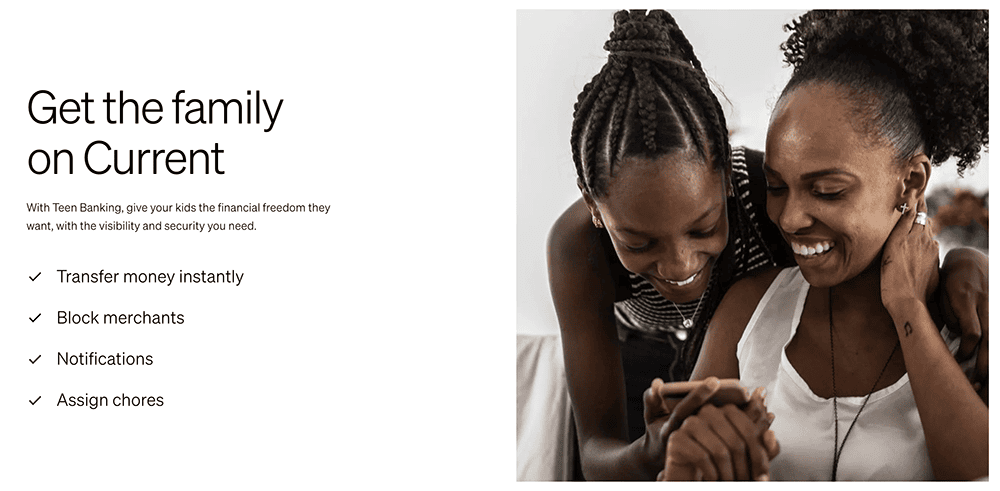
Current is a banking app designed for families. It offers both parent and teen accounts, with the latter acting like prepaid debit cards that parents load for their children. There are no monthly fees, no fees on transfers to other Current accounts, and no hidden fees. Current also has no required minimum balance.
The Current app allows you to track your teen’s spending in real-time, set limits on how much your children can spend, and even block specific merchants on its Visa-enabled debit cards. You also get the peace of mind that comes with knowing your children’s money is safe because it’s not cash—no temptations, just a tool parents can use to help teach teens financial responsibility.
Among Current’s features:
- A Savings Pod where teens can set aside money for personal goals (and earn interest, outlined in the box below)
- A Giving Pod that allows teens to easily donate to charity
- Round-Ups that allow you to round up purchases to the nearest dollar amount, then store the difference in Savings or Giving Pods
- Easy allowance deposits
- Instant gas hold removals when buying gas
- Access to more than 55,000 fee-free Allpoint ATMs nationwide
Teens also can learn about financial responsibility and financial independence through Current’s Budgets feature, which allows them to track their spending and even receive alerts when they get too close to (or exceed) a predetermined limit.
Current has no specifically stated minimum age requirement, but its target audience is teens. Read more in our Current review.
- Current is a financial technology platform that lets teens enjoy not just traditional banking basics, but numerous features meant to simplify spending, streamline saving, and set them on the path toward more organized finances.
- Teens can spend with the Current Visa debit card, which allows them to purchase in-store and online, as well as withdraw money fee-free from more than 40,000 in-network Allpoint ATMs.
- Current Teen Accounts also come with Savings Pods, which earn 0.25% APY and allow you to round up purchases (overages are funneled into your savings). Keep a qualifying direct deposit of $200 or more in your account, and you'll earn a full boosted rate of up to 4% annually.
- Parents can monitor their kids' spending, adjust maximum ATM withdrawal and spending limits, and even toggle spending categories (and the Current debit card itself) on and off.
- Parents can also automate allowance payments, pay for chores, instantly transfer money to their teens, and more.
- Free account (no monthly maintenance fees)
- Good parental controls
- Fee-free ATMs
- Cash reloads
- Gas hold deposits
- 24/7 email and live-chat support
- No direct deposit
- No paired investment account
- No card customization

Related: Best Brokerage Accounts for Teenagers
Current Plans + Costs
Current is a completely free card, so there’s only one “plan” of which to speak:
| Plan | Monthly Fee | Features Offered Under Plan |
|---|---|---|
| Current Teen | N/A | - Current card - Parental controls - Allowance and chores - Savings Pods - Giving Pods - Round-Ups - Cash deposits - Gas hold removals |
A parent must create a free Current Individual Account to set up Current Teen Account. However, there are no minimum required balances, fees for transfers to other Current accounts, or in-network ATM fees.
Still, Current users might still incur a few fees, including:
- Out-of-network ATM usage ($2.50 per transaction)
- Foreign transactions (3% of the full transaction amount, minimum $0.50.)
- Late payment (3% of any total due balances outstanding and past due for two or more billing cycles)
- Cash reloads ($3.50)
Many users can avoid these fees, but it’s still good to keep them in mind.
Current Features

Current has several features that help it stand out from other debit cards for teens. Here are the most pertinent aspects you should know:
Current Card
The Current experience centers around the Current Visa debit card. Teens can use the Current debit card to shop both in stores or online, or to withdraw cash fee-free from more than 55,000 in-network Allpoint ATMs.
Parental Controls
Parents have several ways to limit their teens’ spending. The cards automatically come with daily maximums of $500 for ATM withdrawals and $2,000 for spending, but parents can adjust these as they want. Parents can also toggle certain spending categories (including ATMs) on and off, and even turn the card on and off, if necessary.
Allowance + Chores
Current has one of the most flexible allowance options available, allowing you to choose monthly, bi-weekly, weekly, and even daily money transfers! (I think daily is a little too frequent, but it’s there if you need it.) Simply set an amount, a funding source, start date, and frequency.
You can also assign chores to your teen (who must mark the chore as completed once they’re done with it), then pay them regularly on a weekly basis. But you have some optionality—you can pay your teen early, and you can also adjust payment if some chores aren’t completed on time.
Savings Pods
Each Current teen account comes with a Savings Pod, which is effectively a savings account—you can name it, set a goal amount, even add an image to it. Current offers a modest APY on Savings Pod balances, but a much more substantial bonus APY for those who direct deposit money and hold a certain amount in the account.
Giving Pods
Want to instill the importance of giving back to your child? Current Teen Accounts come with a Giving Pod that allows your teenager to donate to their favorite charity.
Round-Ups
The Current card also offers basic Round-Ups, where every purchase is rounded up to the nearest dollar and the difference is stored in the Savings or Giving Pod. This makes saving simple and automatic.
Cash Deposits
Whether your child has a job that pays cash tips or receives money in celebratory cards, they can deposit that cash into their Current account at more than 60,000 stores nationwide, including popular retailers such as 7-Eleven, Dollar General, CVS Pharmacy, and more.
To find participating retailers, look at the “Add Cash” map. Once there, simply tell the cashier you want to deposit cash. Once the cashier scans the barcode, the funds are immediately available. Deposits can be up to $500 per transaction, and $1,000 per day, though Current does charge a $3.50 cash reload fee.
Gas Hold Removals
Nobody likes having their money tied up, and that’s exactly what happens with gas holds, where a gas station puts a hold—usually of $50 or more—on your account until the transaction goes through. With the parent’s Current account, the teen can get instant gas hold removals.
Interested in Current? You can sign up here.
Related: 8 Best Teen Checking Accounts [Banks for Teens]
Greenlight vs. Current: Our Editors’ Choice Is …
A Current account can fit the needs of some parents and kids. But frankly, Greenlight outshines it by a considerable measure.
Current is still a solid choice for people who are locked into getting a free kids’ debit card. It has a few useful features that you won’t find in many kids’ debit cards, including gas hold removals, spending insights, and cash reloads.
However, if you’re willing to pay for a debit card for kids, Greenlight’s features are worth the price. Its powerful parental controls are unparalleled. Kids can invest with most of Greenlight’s plans. Its earnings and interest features are superior, as are its parental controls.
You can sign up for Greenlight here. But if Greenlight simply doesn’t fit into your budget, it’s free to sign up for Current here.
|
Our Pick: Greenlight

|
Runner-Up: Current
|
|
Primary Rating:
4.8
|
Primary Rating:
3.8
|
Related: 26 Best Online Jobs for Teens [Make Money at Home]
Other Debit Cards for Kids to Consider
If you’re still not convinced on Greenlight or Current, you might want to look at these other highly rated options:
| App | Apple App Store Rating / Best For | Fees | Promotions |
|---|---|---|---|
 Chase First Banking Chase First Banking | ☆ 4.8 / 5 High customer satisfaction from a major bank card and no monthly fees | No subscription fees | None |
 Acorns Early Acorns Early | ☆ 4.6 / 5 Strong parental controls | Acorns Early Lite: $8/mo. Acorns Gold (Includes Acorns Early Invest): $12/mo. | Acorns Early Lite: Free 30-day trial + $5 allowance upon signup. Acorns Gold: $20 bonus investment when you sign up and make recurring investments. |
 Cash App Families (For Teens) Cash App Families (For Teens) | ☆ 4.8 / 5 Excellent parental controls and no monthly fees. | No subscription fees | None |
| Cash App Families Managed Accounts (For Kids) | ☆ 4.8 / 5 Excellent parental controls and no monthly fees. | No monthly fees | None |
| Note: Apple App Store Rating as of Sept. 10, 2026. | |||