




Piggy banks are cute and hold a child’s money, but that’s about all they offer. Debit cards designed for kids come with far more perks. These cards come with parental controls, make it easy to pay allowance, and more. Plus, if your kid needs cash, they can use the debit card to withdraw some from an ATM.
But it’s not as easy as just deciding to get your kid a debit card—you need to choose which card to get as well. You’ve likely heard of the well-known bank Chase® and, since you’re here, have likely caught wind of the financial technology company Current.
Both offer kids’ debit cards, but the features offered aren’t identical.
Today, I’ll give an overview of Chase First BankingSM and the Current card, review the costs, explain important features, and more. Seeing the vital stats side by side should help you decide which card is a better choice for your family. Just in case neither seems like the perfect fit, I’ll also highlight other debit cards worthy of consideration.
Table of Contents
Chase First BankingSM vs. Current Comparison
  |  |
|
|---|---|---|
| WealthUpdate Rating | ☆ 4.6 / 5 | ☆ 3.8 / 5 |
| App Store Rating | ☆ 4.8 / 5 | ☆ 4.8 / 5 |
| Price* | No monthly fees | No monthly fees |
| Billing | N/A | N/A |
| Special Offer | N/A | N/A |
| Allowed Cards Per Subscription | 1 | 1 |
| Minimum Age** | 6 | No |
| Features That Make This Card Stand Apart | Access to 5,000+ branches | Spending insights through money management tools, gas hold removals |
Basics | | |
| Spending | Yes | Yes |
| Saving | Yes | Yes |
| Investing | No | No |
| Giving/Donating | No | No |
Funding | | |
| Funding Source(s) | Chase bank account | Bank account, debit card, check, third-party app, cash |
| Direct Deposit | No | No |
| Allowance | Yes | Yes |
| Chores | Yes | Yes |
| Gifting | No | Yes |
| Cash Reload Fee | N/A (No cash reload) | $3.50 per transaction |
Saving/Spending | | |
| Savings APY | N/A | 0.25% (up to 4% if you keep a qualifying direct deposit of $200 or more in your account) |
| Round-Ups | No | Yes |
| Other Savings Features | None | None |
| ATM Network | Chase (14,000+ ATMs) | Allpoint (55,000+ ATMs) |
| ATM Transaction Fee | $0 in-network (Operator fee may apply at out-of-network ATMs) | $0 (Operator fee may apply at out-of-network ATMs) |
| Card Network | Visa | Visa |
| Compatible Mobile Wallets | N/A | Apple Pay, Google Pay |
Parents | | |
| Parental Controls | High (Store-level controls and limit setting) | Medium (Spending limits, transaction type-level controls) |
| Parental Monitoring | Yes | Yes |
| Parental Notifications | Yes | Yes |
Other Features | | |
| Cash Back | No | No |
| Builds Credit | No | No |
| Customization options | No | No |
| Refund Policy | N/A | N/A |
 | |
|
| * Prices do not include processing fees when applicable. ** Many cards have different suggested minimum ages. We are only listing any hard-and-fast minimum age requirements. |
||
Chase First BankingSM Overview
- Available: Sign up here
- Price: Free (no monthly fees)
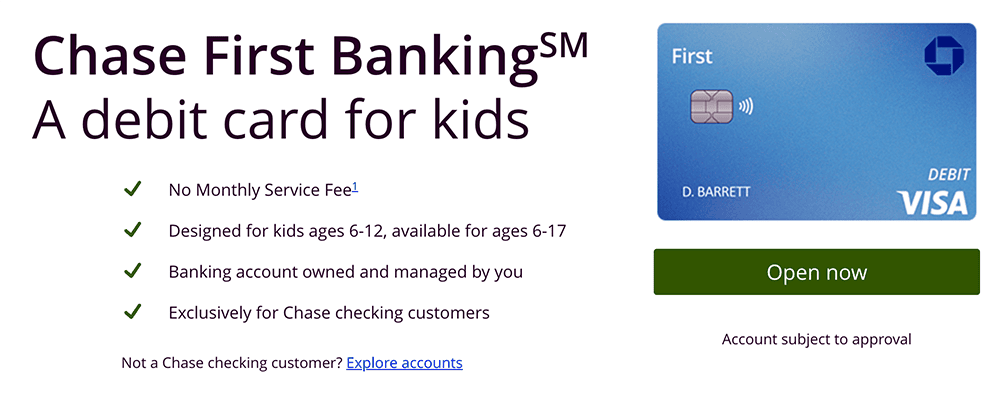
Ready to teach your little ones about earning, saving, and spending money, but not quite sure if you have the time, patience, and/or expertise? Chase First BankingSM offers simple banking for both of you in one location—the Chase Mobile® App—for free.
Chase First BankingSM helps parents teach teens and kids about money by giving parents the control they want and kids the freedom they need to learn. Among the account’s many features?
- One of the best free debit cards for kids and teens—it works anywhere Visa is accepted, and can be used to withdraw money fee-free* from more than 14,000 Chase ATMs nationwide
- Savings goals that you can track via the Chase Mobile® App
- Parental controls, such as setting limits on where and how much they can spend and withdraw from ATMs
- Account alerts that let you know where your child is spending
- Recurring chores and allowance
The account is designed with kids 6-12 in mind, and available for ages 6-17. To get started, you’ll first need to be a Chase customer with a qualifying Chase checking account. If you don’t already have one, consider opening a Chase Total Checking® or Chase Secure BankingSM account to qualify.
- Chase Total Checking® also grants access to thousands of branches and ATMs. You can pay $0 in monthly fees, subject to meeting certain conditions.** And you can collect a $400 new-customer bonus when you make total direct deposits of $1,000 or more within 90 days of coupon enrollment.
- Chase Secure BankingSM offers the same Chase ATMs and branch locations as well as a $125 sign-up bonus when you make stated qualifying activities and meet certain conditions.
Once you open a qualifying Chase Checking account, you may use our link to apply for a Chase First BankingSM account for your child.
- Chase First Banking is a free, just-for-kids banking account that teaches children and teens about their finances through the Chase Mobile® app and a Visa debit card.
- The account is designed with kids 6-12 in mind, and available for ages 6-17.
- Kids can use their debit card anywhere Visa is accepted, and withdraw money fee-free* from thousands of Chase ATMs.
- Parents can enjoy peace of mind by limiting how much and where their children can spend and withdraw money, and set up spending alerts.
- Parents can reward responsibility with allowance transfers, set to repeat on the schedule you choose.
- You must be a current Chase customer with a qualifying Chase checking account to sign up. If you don’t already have one, consider opening a Chase Total Checking or Chase Secure Banking account to qualify.
- Free account
- No monthly maintenance fees
- Chore and allowance functionality
- Parental controls on spend/ATM limit and location
- No paired investment account
- No interest

Related: Best Investing Apps for Teens Under 18 [Stock Trading Apps]
Chase First BankingSM Plans + Costs
Chase First BankingSM is a primarily fee-free kids’ debit card.
| Plan | Monthly Fee | Features Offered Under Plan |
|---|---|---|
| Chase First BankingSM | N/A | - Chase First BankingSM debit card - Parental controls - Savings goals - Allowance and chores - Physical bank locations |
A few situations where fees may be charged include:
- Expedited shipment of a replacement debit card ($15)
- Using the debit card at a non-Chase ATM ($3)
- Using the debit card to make an ATM withdrawal or transfer inquiry outside the U.S., Puerto Rico, and the U.S. Virgin Islands ($3 for transfers or inquiries, $5 per withdrawal)
- For international card purchases or withdrawals, you have to pay 3% of the amount after conversion to U.S. dollars.
But note that these are all pretty common fees for debit cards.
Related: Best Brokerage Accounts for Teenagers
Chase First BankingSM Features

Below are some of the most notable features of Chase First BankingSM. These features are designed to strike the delicate balance of giving kids independence while keeping parental safeguards in place.
Chase First BankingSM Card
The Chase First BankingSM card is a Visa-branded debit card that can be used anywhere Visa is accepted (at physical stores and online), as well as at more than 14,000 fee-free Chase ATMs. The card is protected by Visa’s Fraud Protection and Zero Liability guarantee; as long as you dispute fraudulent charges within the stated time frame, you can avoid having to pay for those charges.
Admittedly, Chase First BankingSM has some of the strictest funding limitations of all kids’ debit cards. You must fund the account from a qualifying Chase checking account, such as Chase Total Checking® or Chase Secure BankingSM. That means you can’t fund the account from other traditional funding sources, like third-party payment apps, cash, and any other bank’s debit cards or checking accounts.
Chase First Banking accounts also have a $100 daily ATM withdrawal limit and a $400 daily purchase limit.
Parental Controls
Chase First BankingSM offers some of the best parental controls among all the kids’ debit cards I have reviewed.
You can use the Chase Mobile® App to set limits for where and/or how much your kid or teen can spend. Don’t want them eating too much fast food? Set a $15 limit at fast-food restaurants. Worried about your kid overspending in general? Just limit how much the card can be used for anywhere. You can even set withdrawal limits at ATMs.
Parents can also enable account alerts. There are three categories of alerts, including:
- Balance & spending
- Security
- Chase First Banking (transfer money requests, ATM use, card declined, etc.)
You can choose to be notified via email, push notification, text message, or a combination of multiple alerts.
Has the card gone missing? Don’t worry about it. It can be locked or unlocked from the app. Children can also lock and unlock their cards, but if a parent locks the card, the kid can’t unlock it.
Savings Goals
Children can create savings goals and transfer money toward those goals at any time. Parents can transfer money to the kid’s goals as well. And the Chase Mobile® App makes it easy to track their progress.
Allowance + Chores
Whether you want to pay daily, weekly, or monthly, it’s easy to set up recurring allowance transfers through the Chase Mobile app. You can also assign repeating chores and pay your kid when they’ve completed them.
Physical Locations
Many of the most popular debit cards for teens and kids are offered by online banks with no brick-and-mortar locations. Chase, however, has more than 5,000 physical locations. If you find comfort that you could speak face-to-face with a human if anything goes wrong, this debit card and accompanying account could be a good fit for you. Plus, you can deposit cash and checks for free.
You can sign up for Chase First BankingSM here.
Related: Should You Open a Child Bank Account with a Debit Card?
Other Chase First BankingSM Comparisons
- Chase First Banking vs. Axos First Checking
- Greenlight vs. Chase First Banking
- Acorns Early vs. Chase First Banking
Current Overview
- Available: Sign up here
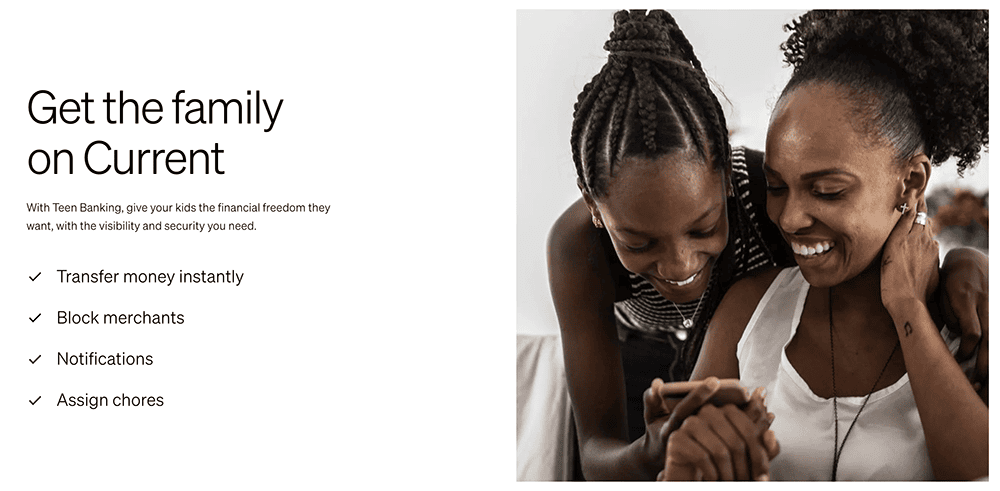
Current is a banking app designed for families. It offers both parent and teen accounts, with the latter acting like prepaid debit cards that parents load for their children. There are no monthly fees, no fees on transfers to other Current accounts, and no hidden fees. Current also has no required minimum balance.
The Current app allows you to track your teen’s spending in real-time, set limits on how much your children can spend, and even block specific merchants on its Visa-enabled debit cards. You also get the peace of mind that comes with knowing your children’s money is safe because it’s not cash—no temptations, just a tool parents can use to help teach teens financial responsibility.
Among Current’s features:
- A Savings Pod where teens can set aside money for personal goals (and earn interest, outlined in the box below)
- A Giving Pod that allows teens to easily donate to charity
- Round-Ups that allow you to round up purchases to the nearest dollar amount, then store the difference in Savings or Giving Pods
- Easy allowance deposits
- Instant gas hold removals when buying gas
- Access to more than 55,000 fee-free Allpoint ATMs nationwide
Teens also can learn about financial responsibility and financial independence through Current’s Budgets feature, which allows them to track their spending and even receive alerts when they get too close to (or exceed) a predetermined limit.
Current has no specifically stated minimum age requirement, but its target audience is teens. Read more in our Current review.
- Current is a financial technology platform that lets teens enjoy not just traditional banking basics, but numerous features meant to simplify spending, streamline saving, and set them on the path toward more organized finances.
- Teens can spend with the Current Visa debit card, which allows them to purchase in-store and online, as well as withdraw money fee-free from more than 40,000 in-network Allpoint ATMs.
- Current Teen Accounts also come with Savings Pods, which earn 0.25% APY and allow you to round up purchases (overages are funneled into your savings). Keep a qualifying direct deposit of $200 or more in your account, and you'll earn a full boosted rate of up to 4% annually.
- Parents can monitor their kids' spending, adjust maximum ATM withdrawal and spending limits, and even toggle spending categories (and the Current debit card itself) on and off.
- Parents can also automate allowance payments, pay for chores, instantly transfer money to their teens, and more.
- Free account (no monthly maintenance fees)
- Good parental controls
- Fee-free ATMs
- Cash reloads
- Gas hold deposits
- 24/7 email and live-chat support
- No direct deposit
- No paired investment account
- No card customization

Related: 5 Best Brokerage Accounts for Minors
Current Plans + Costs
Current is a completely free card, so there’s only one “plan” of which to speak:
| Plan | Monthly Fee | Features Offered Under Plan |
|---|---|---|
| Current Teen | N/A | - Current card - Parental controls - Allowance and chores - Savings Pods - Giving Pods - Round-Ups - Cash deposits - Gas hold removals |
A parent must create a free Current Individual Account to set up Current Teen Account. However, there are no minimum required balances, fees for transfers to other Current accounts, or in-network ATM fees.
Still, Current users might still incur a few fees, including:
- Out-of-network ATM usage ($2.50 per transaction)
- Foreign transactions (3% of the full transaction amount, minimum $0.50.)
- Late payment (3% of any total due balances outstanding and past due for two or more billing cycles)
- Cash reloads ($3.50)
Many users can avoid these fees, but it’s still good to keep them in mind.
Current Features

Current has several features that help it stand out from other debit cards for teens. Here are the most pertinent aspects you should know:
Current Card
The Current experience centers around the Current Visa debit card. Teens can use the Current debit card to shop both in stores or online, or to withdraw cash fee-free from more than 55,000 in-network Allpoint ATMs.
Parental Controls
Parents have several ways to limit their teens’ spending. The cards automatically come with daily maximums of $500 for ATM withdrawals and $2,000 for spending, but parents can adjust these as they want. Parents can also toggle certain spending categories (including ATMs) on and off, and even turn the card on and off, if necessary.
Allowance + Chores
Current has one of the most flexible allowance options available, allowing you to choose monthly, bi-weekly, weekly, and even daily money transfers! (I think daily is a little too frequent, but it’s there if you need it.) Simply set an amount, a funding source, start date, and frequency.
You can also assign chores to your teen (who must mark the chore as completed once they’re done with it), then pay them regularly on a weekly basis. But you have some optionality—you can pay your teen early, and you can also adjust payment if some chores aren’t completed on time.
Savings Pods
Each Current teen account comes with a Savings Pod, which is effectively a savings account—you can name it, set a goal amount, even add an image to it.
Related: 8 Best Automatic Savings Apps + Savings Accounts
Giving Pods
Want to instill the importance of giving back to your child? Current Teen Accounts come with a Giving Pod that allows your teenager to donate to their favorite charity.
Round-Ups
The Current card also offers basic Round-Ups, where every purchase is rounded up to the nearest dollar and the difference is stored in the Savings or Giving Pod. This makes saving simple and automatic.
Related: 8 Best Round-Up Apps for Saving + Investing Money Instantly
Cash Deposits
Whether your child has a job that pays cash tips or receives money in celebratory cards, they can deposit that cash into their Current account at more than 60,000 stores nationwide, including popular retailers such as 7-Eleven, Dollar General, CVS Pharmacy, and more.
To find participating retailers, look at the “Add Cash” map. Once there, simply tell the cashier you want to deposit cash. Once the cashier scans the barcode, the funds are immediately available. Deposits can be up to $500 per transaction, though Current does charge a $3.50 cash reload fee.
Related: Best Investments for Teenagers [What to Invest In as a Teen]
Gas Hold Removals
Nobody likes having their money tied up, and that’s exactly what happens with gas holds, where a gas station puts a hold—usually of $50 or more—on your account until the transaction goes through. With the parent’s Current account, the teen can get instant gas hold removals.
Interested in Current? You can sign up here.
Related: 8 Best Teen Checking Accounts [Banks for Teens]
Other Current Comparisons
Chase First BankingSM vs. Current: Our Editors’ Choice Is …
Parents who already use and enjoy Chase® may want to choose Chase First BankingSM for their children. If your child ends up loving Chase®, they can use the brand in the future for credit cards, mortgages, and much more. This is one of the few kids’ debit card providers with brick-and-mortar locations, so if that’s important to you, this is the clear choice. It offers all the basic features most parents are seeking, such as savings goals, an easy way to pay allowance, chore assignments, and more.
Current offers a few features that Chase® doesn’t, such as the Giving Pods and gas hold removals. It also offers a competitive APY when you meet direct deposit and account minimums.
Still, between these two free cards, Chase First BankingSM is tops.
|
Our Pick: Chase First Banking
|
Runner-Up: Current
|
|
Primary Rating:
4.8
|
Primary Rating:
3.8
|
Related: 26 Best Online Jobs for Teens [Make Money at Home]
Other Debit Cards for Kids to Consider
If you’re still not convinced about whether Chase First BankingSM or Current are right for you (say, if you want certain options, such as teen investing), you might want to look at these other highly rated options:
| App | Apple App Store Rating / Best For | Fees | Promotions |
|---|---|---|---|
 Greenlight Greenlight | ☆ 4.8 / 5 High customer satisfaction and strong parental controls | Core: $5.99/mo. Max: $10.98/mo. Infinity: $15.98/mo. Family Shield: $19.98/mo. (All plans include cards for up to 5 children) | None |
 Acorns Early Acorns Early | ☆ 4.6 / 5 Strong parental controls | Acorns Early Lite: $8/mo. Acorns Gold (Includes Acorns Early Invest): $12/mo. | Acorns Early Lite: Free 30-day trial + $5 allowance upon signup. Acorns Gold: $20 bonus investment when you sign up and make recurring investments. |
 Cash App Families (For Teens) Cash App Families (For Teens) | ☆ 4.8 / 5 Excellent parental controls and no monthly fees. | No subscription fees | None |
| Cash App Families Managed Accounts (For Kids) | ☆ 4.8 / 5 Excellent parental controls and no monthly fees. | No subscription fees | None |
| Note: Apple App Store Rating is as of Sept. 10, 2026. | |||
Read More on WealthUpdate
- 11 Best Ways to Protect Yourself From Financial Fraud
- 20 Junk Fees We Hate Paying [And How to Avoid Them]
- Charitable Remainder Trusts (CRTs): A Tax-Friendly Way to Fund Your Favorite Causes
Disclaimers
Chase Total Checking
* Chase Total Checking charges a $12 monthly service fee. However, that fee may be waived with one of the following, each monthly statement period: 1.) Electronic deposits made into this account totaling $500 or more, such as payments from payroll providers or government benefit providers, by using (i) the ACH network, (ii) the Real Time Payment or FedNow℠ network, (iii) third-party services that facilitate payments to your debit card using the Visa® or Mastercard® network, OR a balance at the beginning of each day of $1,500 or more in this account, OR an average beginning day balance of $5,000 or more in any combination of this account and linked qualifying Chase checking, savings, and other balances.